Webdecks

Presentation gallery

/

An index that answers questions, not a landing page

The gallery is where a reader decides which deck to open. Search, a type filter and a grouping control all act on the same table in place, with no page loads. The per-type pill counts track the filter; the headline total reports the library.

  1. 01

    Every live deck, counted

    Opened the gallery.

    The landing surface is an index, not a marketing page: a count, a search field, a type filter and the decks themselves in a table. The headline total and the filter pills agree at rest — four decks, three scroll and one slides — so nothing is hidden from the list before you touch anything.

    /
    /
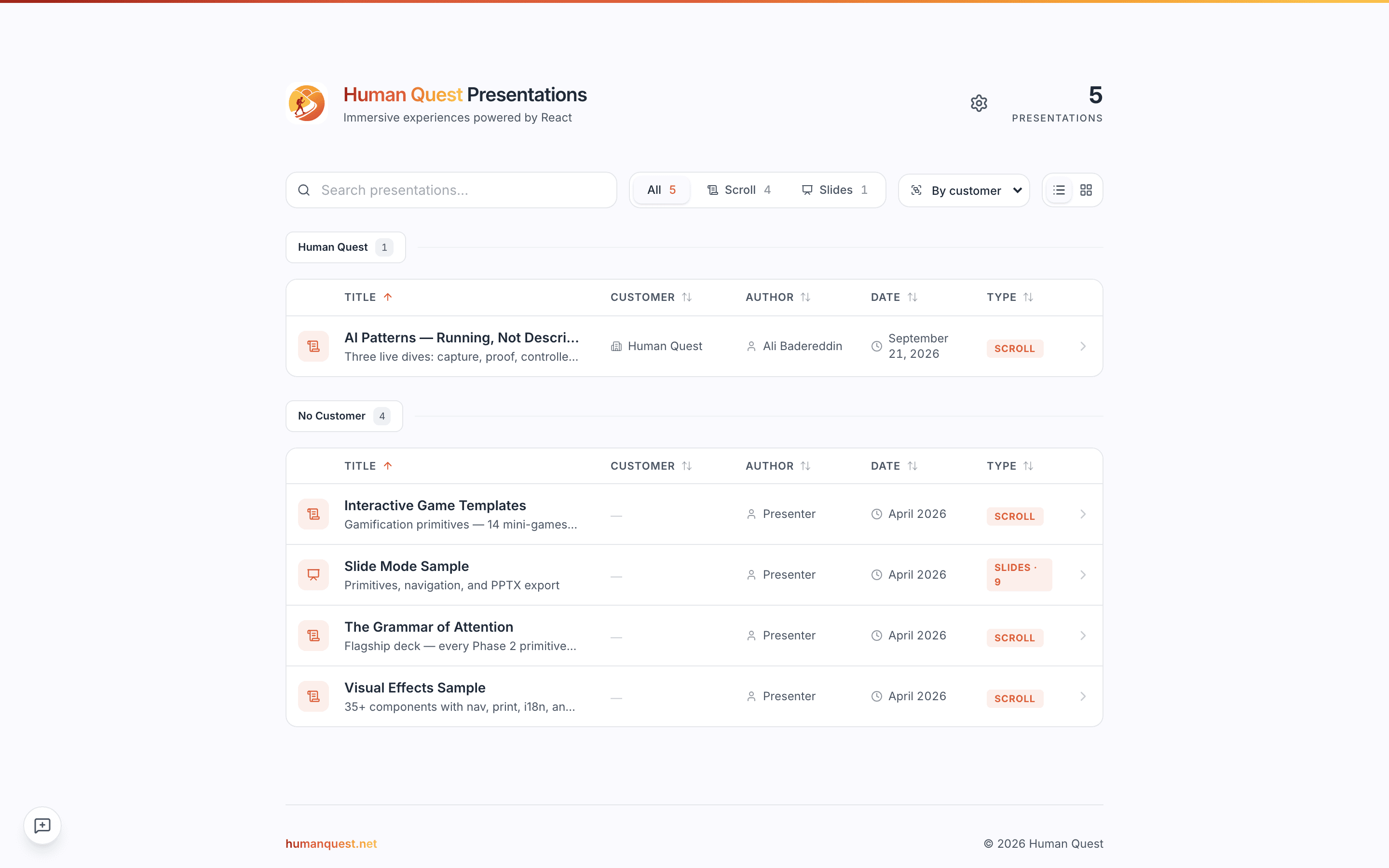
    The Openstage gallery listing four presentations
  2. 02

    Search narrows to one

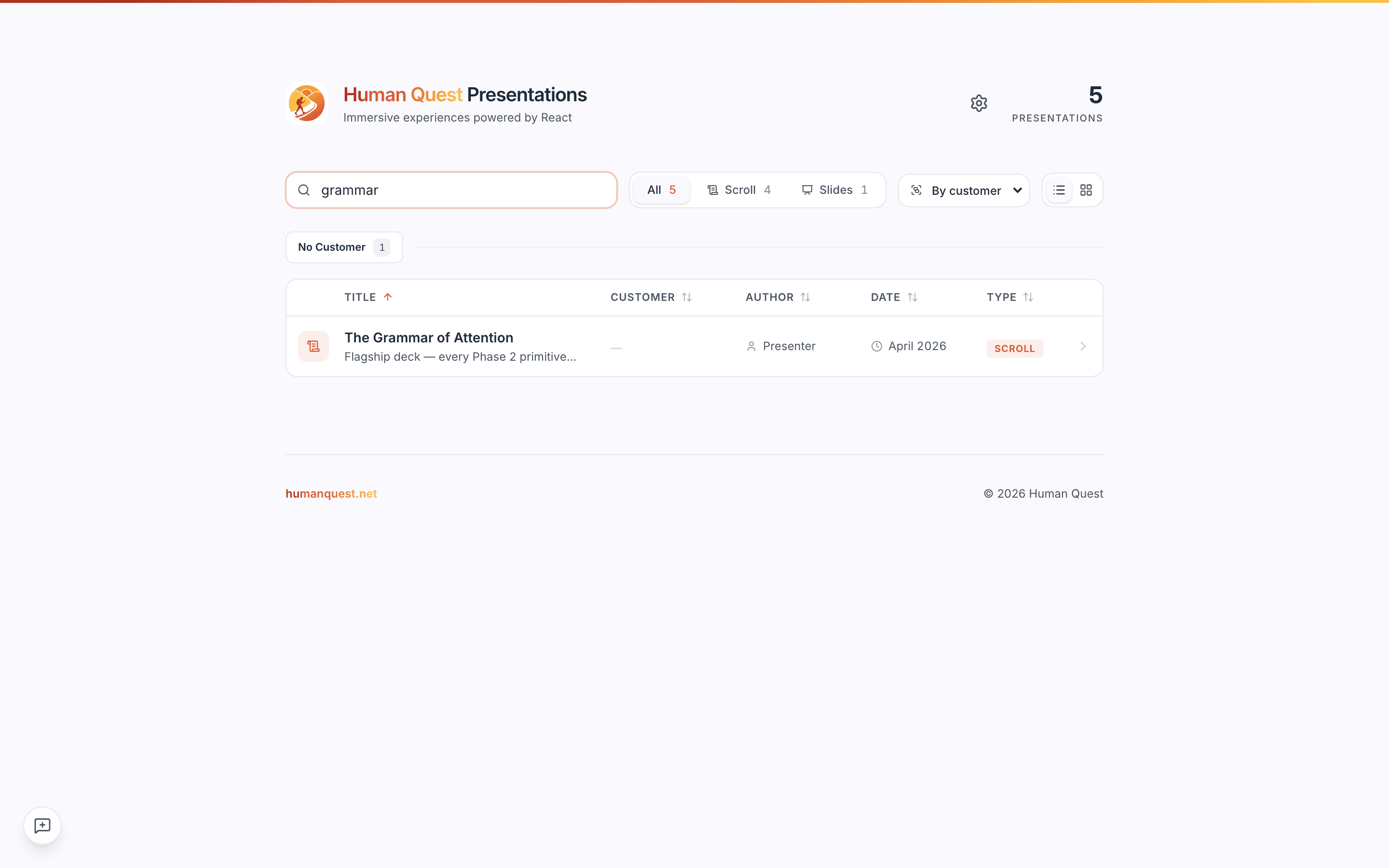
    Typed "grammar" into the search field.

    Filtering happens as you type and against the title, so a half-remembered deck name is enough. Note what does not move: the headline count stays at the library total while the table below it narrows, so the big number answers "how many decks are there" rather than "how many am I looking at".

    /
    /
    The gallery filtered to a single deck by the search term "grammar"
  3. 03

    Two kinds of deck, filtered apart

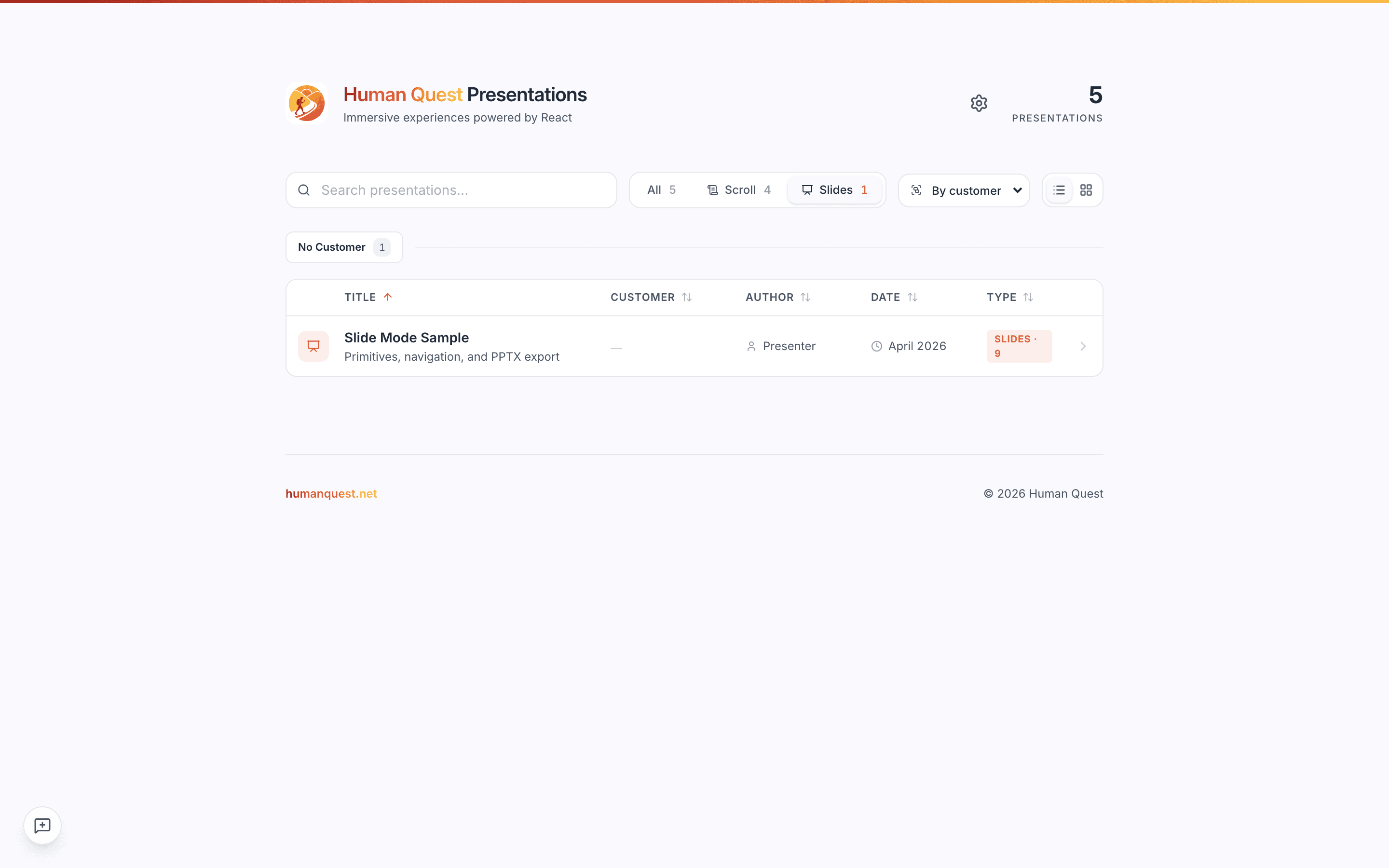
    Clicked the "Slides" filter pill.

    Openstage renders two genuinely different artefacts — a long-form scroll and a fixed slide deck — and the filter is how you pick which kind you are shopping for. Each pill carries its own count, so an empty category is visible before you click it. The filtered count lives on the pill; the headline total stays put.

    /
    /
    The gallery filtered to slide decks only
  4. 04

    Grouping turns the list into sections

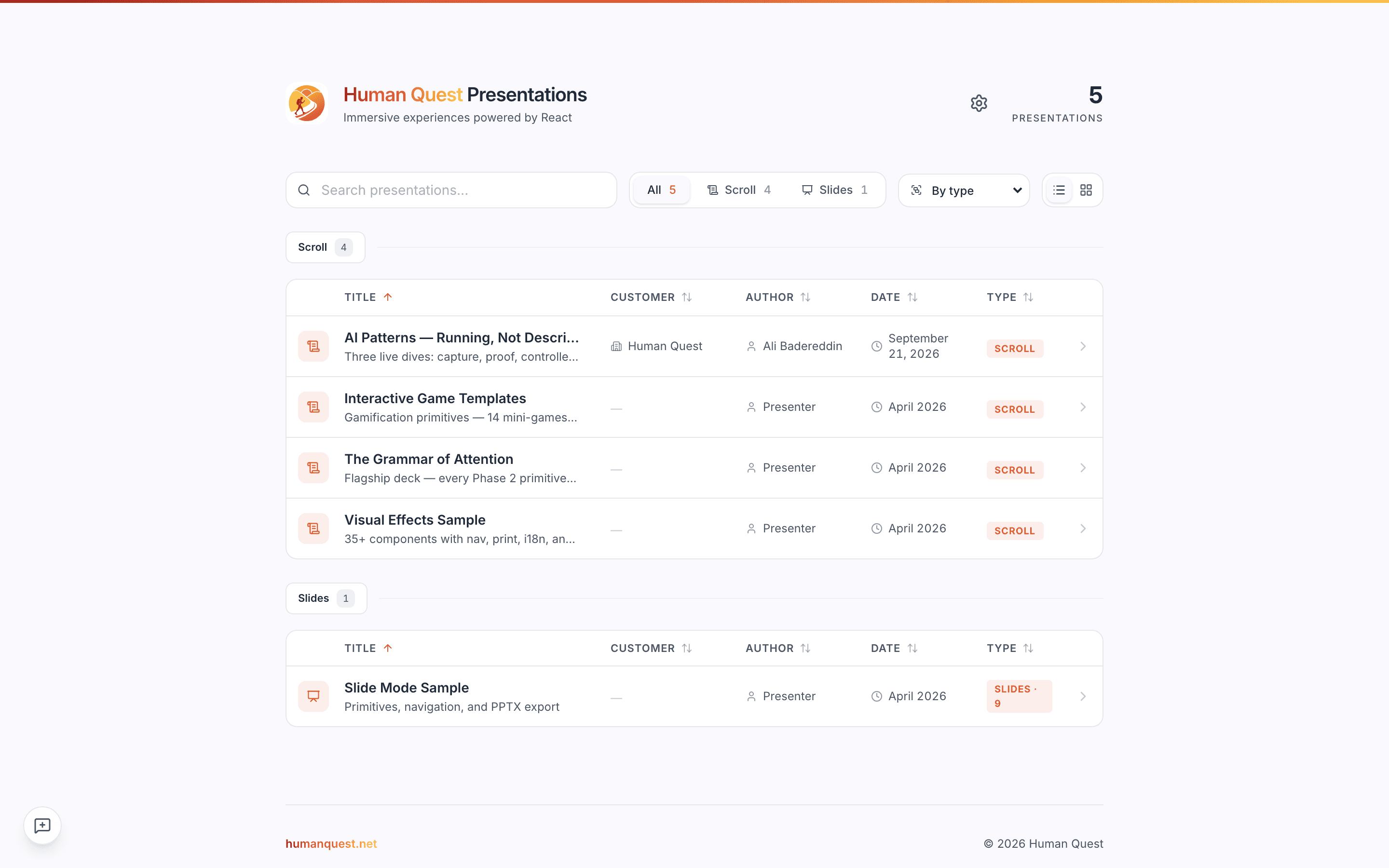
    Set the grouping control to "By type".

    Grouping re-sections the table by type, customer, author or date without leaving the page. On a library of four this is convenience; on a library of forty it is the difference between a list and an index.

    /
    /
    The gallery grouped into sections by deck type

What this feature does

  • Type-ahead search across deck titles
  • Type filter with per-category counts
  • Re-grouping by type, customer, author or date without a page load