Webwellbeingowner

Meditation Practice

/meditate

Meditation Practice, from entry to detail

The Meditation Practice tool is your personal meditation space, offering 8 guided meditation techniques in a beautiful, distraction-free environment. From Open Awareness to Loving-Kindness (Metta), Body Scan, Walking Meditation, and more — each technique comes with detailed step-by-step instructions so you can practice even if you've never meditated before.

Sessions range from 5 to 30 minutes, and the immersive full-screen timer features a calming animated orb with customizable visual themes and ambient sounds. It's designed to help you build a consistent meditation habit with zero friction.

Imported from Inner Quest's app-owned walkthrough library. The captures are real product evidence, but their original run manifest and detailed interaction log predate Walkthrough Studio, so freshness is not claimed.

  1. 01

    Landing Page — Your Meditation Space

    Opened /meditate.

    When you open the Meditation tool, you'll see a clean, centered interface. A large purple orb displays the current meditation category ("Simply Be" for Open Awareness), with the technique name below it. Duration buttons let you choose 5, 10, 15, 20, or 30 minutes — 10 minutes is selected by default.

    At the bottom, "Instructions" shows you how to practice the technique, and "Change" lets you browse all available meditation styles.

    /meditate
    /meditate
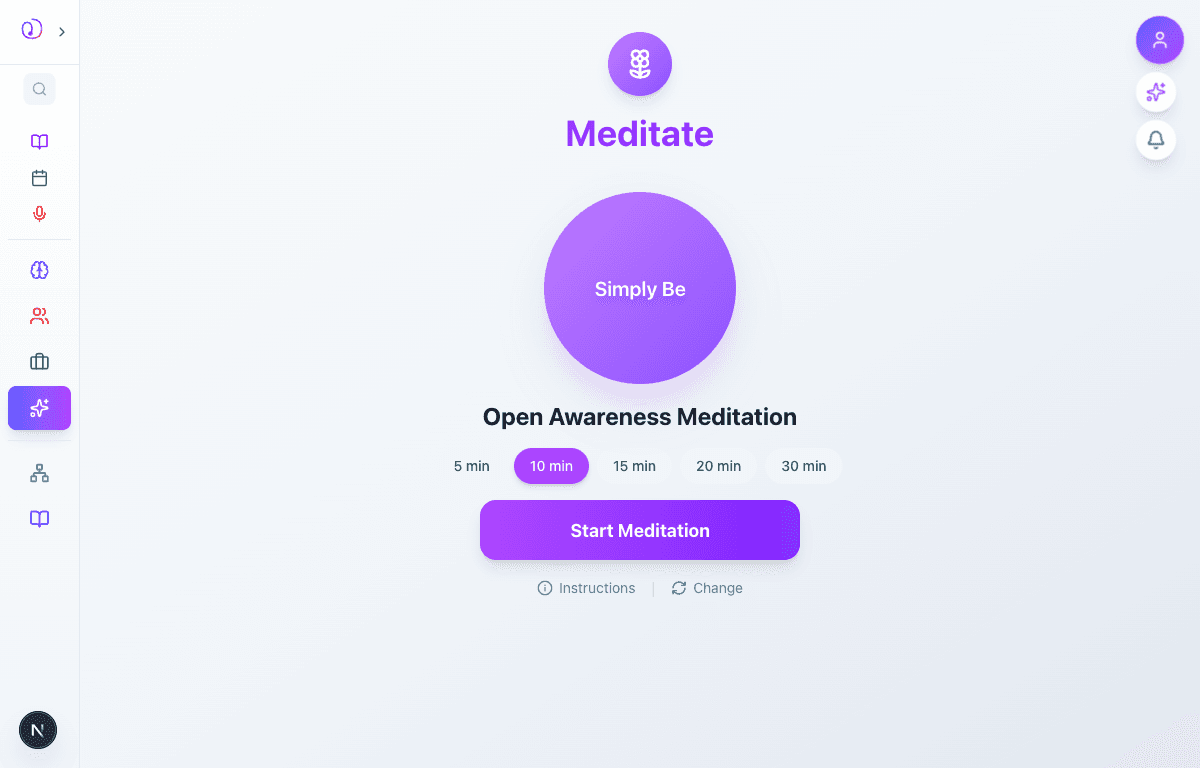
    Meditation landing page showing the purple orb with Simply Be label, Open Awareness Meditation title, duration selector, and Start Meditation button
  2. 02

    Choose a Meditation Technique

    Advanced to the next state preserved by the app-owned walkthrough.

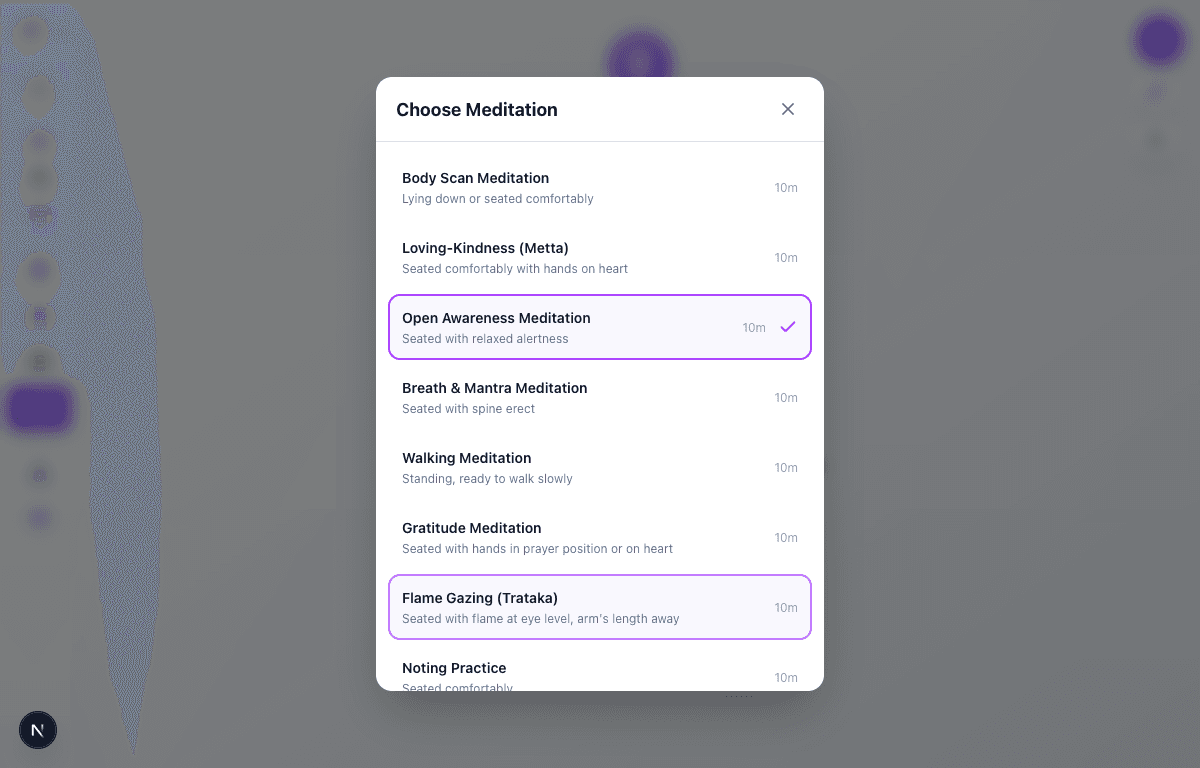
    Tap "Change" to open the technique selector. You'll see 8 meditation styles to choose from:

    • Body Scan Meditation — lying down or seated
    • Loving-Kindness (Metta) — hands on heart
    • Open Awareness Meditation — relaxed alertness
    • Breath & Mantra Meditation — spine erect
    • Walking Meditation — standing, slow walking
    • Gratitude Meditation — prayer position or hands on heart
    • Flame Gazing (Trataka) — flame at eye level
    • Noting Practice — seated comfortably

    Each shows the posture recommendation and default duration. The currently selected technique has a purple highlight and checkmark.

    /meditate
    /meditate
    Technique selector modal showing 8 meditation options with descriptions, durations, and the currently selected Open Awareness highlighted
  3. 03

    Read the Instructions

    Advanced to the next state preserved by the app-owned walkthrough.

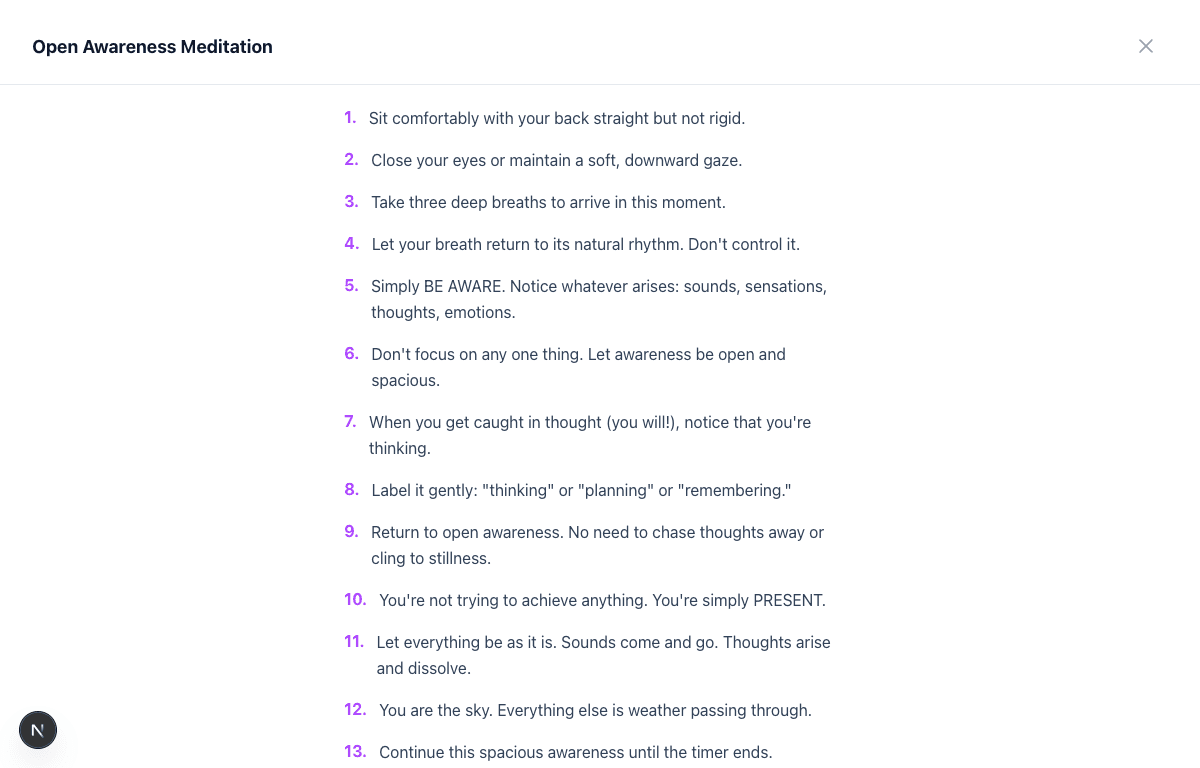
    Tap "Instructions" to see detailed, numbered guidance for your chosen meditation. For Open Awareness, you'll see 14 steps walking you through posture (sit with back straight but not rigid), preparation (three deep breaths to arrive), the core practice (open awareness without focusing on any one thing), how to handle wandering thoughts (label them gently as "thinking" or "planning"), and a beautiful reminder: "You are the sky. Everything else is weather passing through."

    Every technique has its own unique instruction set tailored to that practice style.

    /meditate
    /meditate
    Instructions panel showing 14 numbered steps for Open Awareness Meditation, from posture setup to returning to activity
  4. 04

    Active Meditation Session

    Advanced to the next state preserved by the app-owned walkthrough.

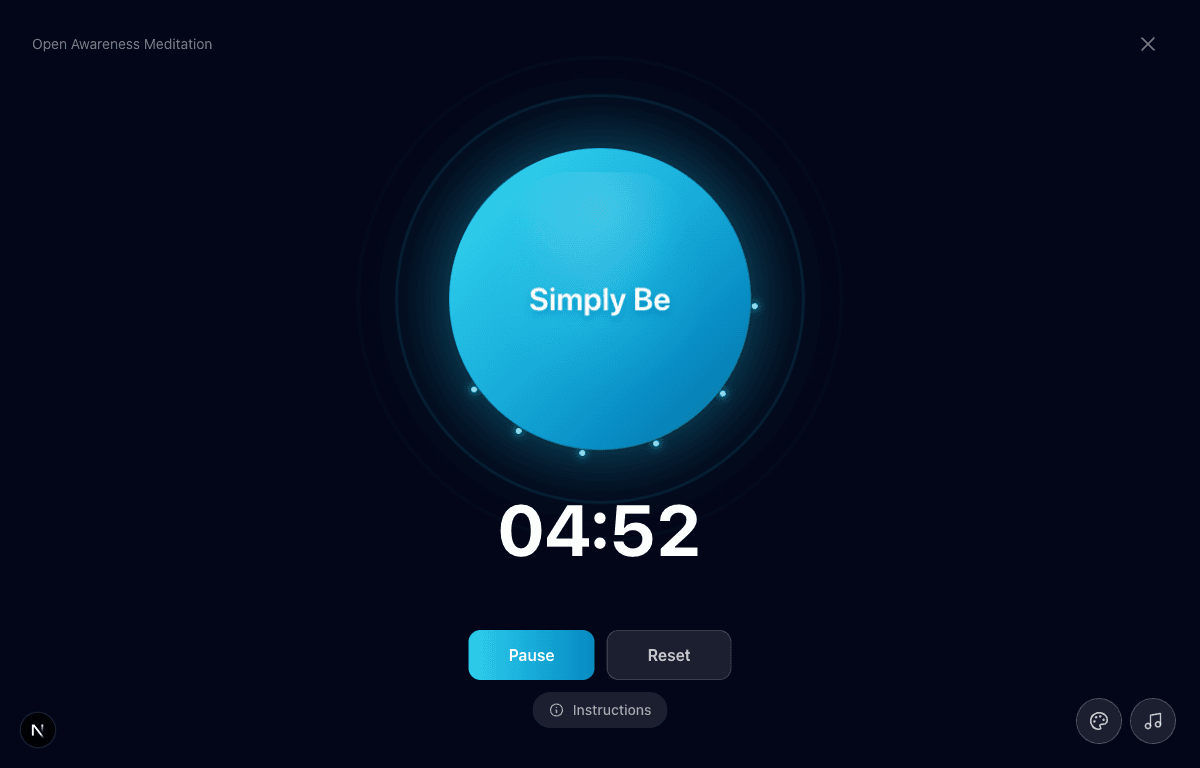
    Hit "Start Meditation" and the screen transforms into an immersive, dark meditation environment. A large animated orb pulses gently at the center with the meditation category label. A prominent countdown timer shows your remaining time in large, easy-to-read digits.

    Below the timer, Pause and Reset buttons give you full control. You can also tap "Instructions" during the session if you need a reminder. Press ESC or the X button in the top-right to end early.

    /meditate
    /meditate
    Active meditation session showing the animated green orb with Simply Be label, countdown timer at 04:54, and Pause/Reset controls
  5. 05

    Customize Your Experience

    Advanced to the next state preserved by the app-owned walkthrough.

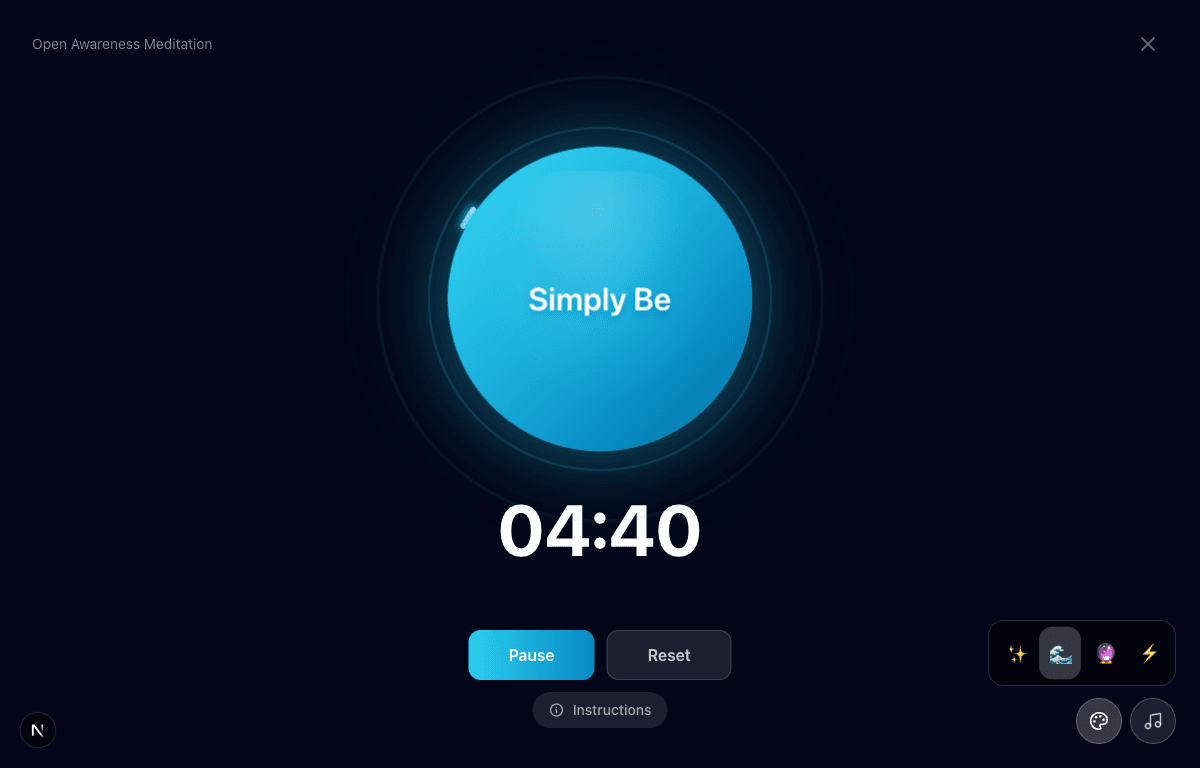
    During an active session, two buttons in the bottom-right corner let you personalize the environment. The theme button reveals 4 visual themes that change the orb's color and animation style. The sound button lets you toggle ambient background sounds to enhance your meditation.

    These customization options let you create the atmosphere that works best for your practice — whether you prefer a minimal, quiet session or a more immersive audiovisual experience.

    /meditate
    /meditate
    Active session with theme selector showing 4 visual theme options in the bottom-right corner

What this feature does

  • 8 meditation techniques spanning mindfulness, compassion, body awareness, and concentration
  • Immersive full-screen timer with animated orb visualization
  • Flexible session duration from 5 to 30 minutes
  • Detailed step-by-step instructions for every technique
  • 4 visual themes to customize the meditation environment
  • Ambient sound options for enhanced immersion
  • Pause, reset, and resume controls during sessions
  • Posture guidance for each meditation style

Worth knowing

  • Start with Open Awareness or Breath & Mantra if you're new to meditation — they're the most accessible
  • Begin with 5-minute sessions and gradually increase as your practice develops
  • Try Loving-Kindness (Metta) when you're feeling stressed about relationships
  • Walking Meditation is a great option when you're too restless to sit still
  • Read the instructions before your first session with a new technique, then let the timer guide you
  • Gratitude Meditation pairs well with the Gratitude journaling tool in Inner Quest