Webcareerowner

Ikigai Finder

/career/ikigai

Ikigai Finder, from entry to detail

The Ikigai Finder helps you discover your 'reason for being' by exploring the intersection of four fundamental questions: What you love, what you're good at, what the world needs, and what you can be paid for. Based on the Japanese concept of Ikigai (生き甲斐), this interactive tool walks you through each dimension with thoughtful prompts, then generates a beautiful Venn diagram showing your overlaps — Passion, Mission, Vocation, and Profession — with your Ikigai at the center.

After completing the assessment, AI-powered insights analyze your unique combination to reveal hidden connections, identify gaps, and suggest concrete next steps. You also get personalized suggestions for items to add to each circle, plus a reflection prompt to deepen your understanding.

Imported from Inner Quest's app-owned walkthrough library. The captures are real product evidence, but their original run manifest and detailed interaction log predate Walkthrough Studio, so freshness is not claimed.

  1. 01

    Landing Page — Understanding Ikigai

    Opened /career/ikigai.

    Navigate to /career/ikigai to see the Ikigai introduction page. The page explains the Japanese concept of Ikigai (生き甲斐) — your 'reason for being' — and presents the four fundamental dimensions as colorful cards:

    1. What You LOVE (pink) — Activities that energize you and make you lose track of time
    2. What You're GOOD AT (blue) — Skills and strengths you've developed
    3. What the WORLD NEEDS (green) — Problems and causes that move you to action
    4. What You Can Be PAID FOR (orange) — Marketable skills and expertise

    Tap "Find Your Ikigai" to begin the guided assessment.

    /career/ikigai
    /career/ikigai
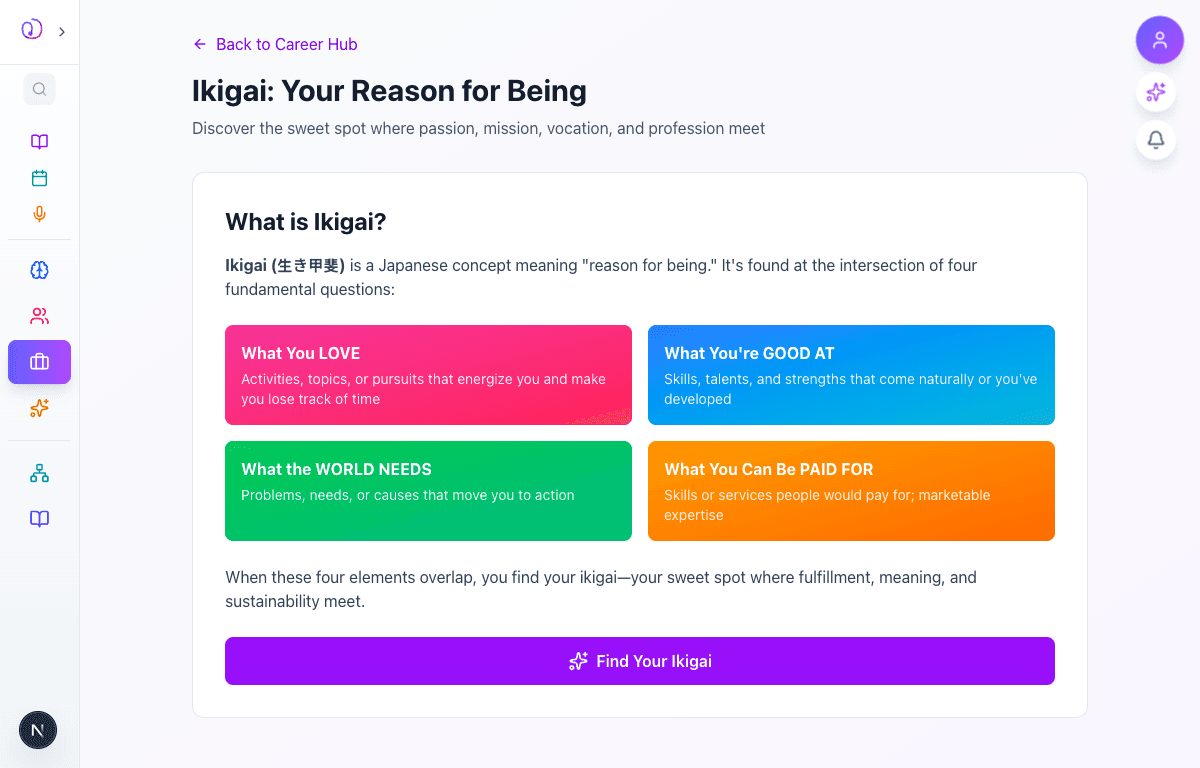
    Ikigai landing page showing the four dimension cards (Love, Good At, World Needs, Paid For) in pink, blue, green, and orange, with Find Your Ikigai button
  2. 02

    Circle 1 — What You LOVE

    Advanced to the next state preserved by the app-owned walkthrough.

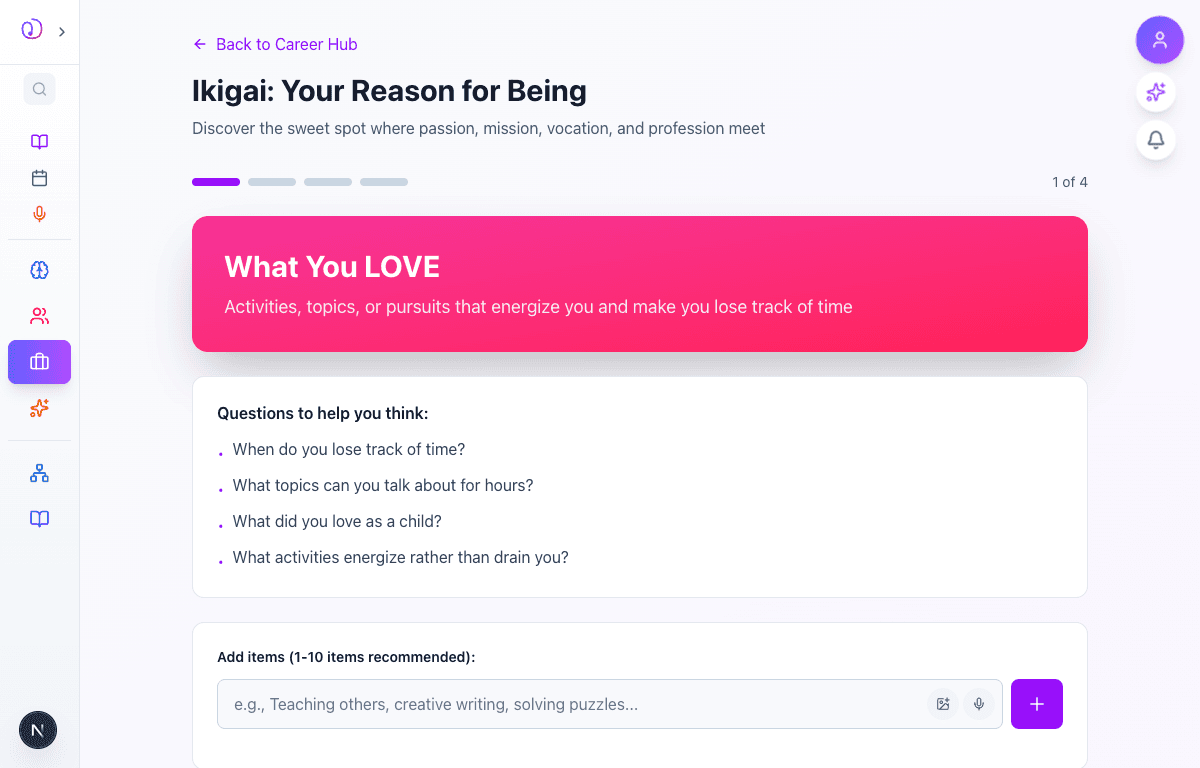
    The first of four circles asks you to reflect on what you love. A progress bar shows you're on step 1 of 4. The pink "What You LOVE" banner describes the dimension, and helpful prompts guide your thinking:

    • When do you lose track of time?
    • What topics can you talk about for hours?
    • What did you love as a child?
    • What activities energize rather than drain you?

    Type your answers into the input field and tap the + button to add each item. You can add 1-10 items per circle. The input also supports AI suggestions and voice input via the icons next to the text field.

    /career/ikigai
    /career/ikigai
    What You LOVE circle showing pink banner, guiding questions, and input field with add button for entering items
  3. 03

    Adding Items to a Circle

    Advanced to the next state preserved by the app-owned walkthrough.

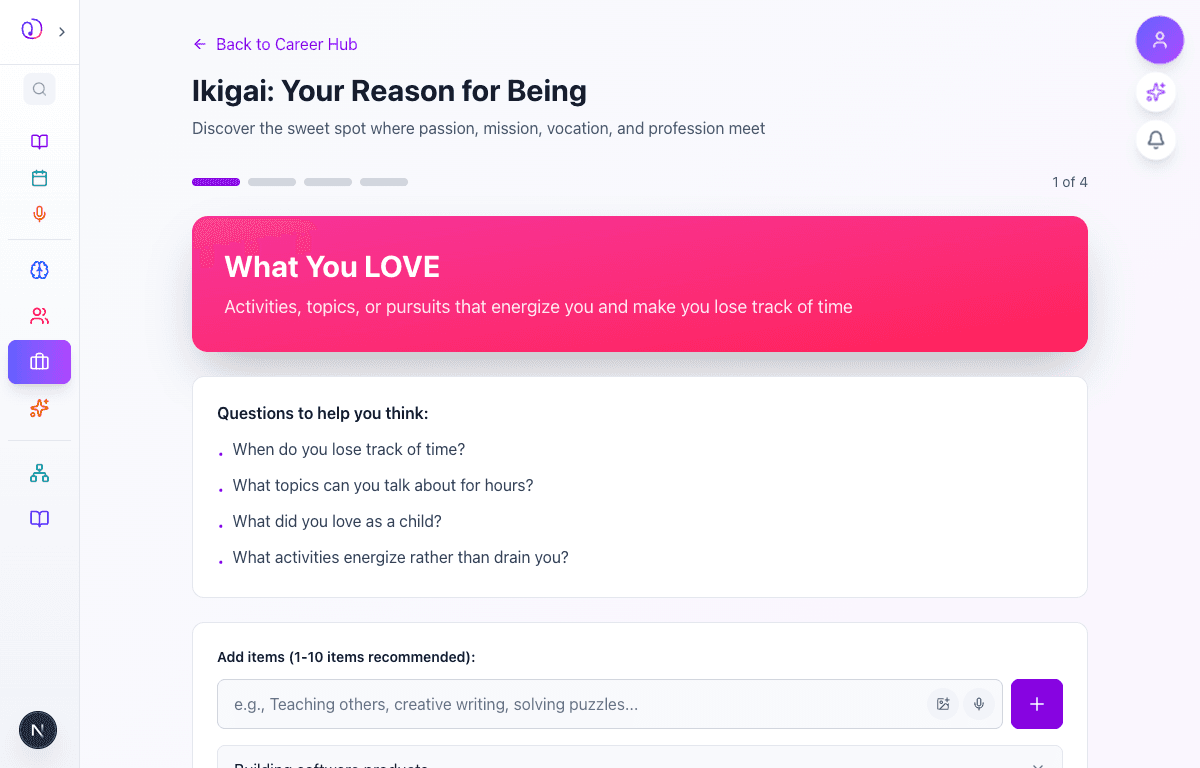
    As you add items, they appear as removable tags below the input field. Each item has an X button to remove it if you change your mind. The "Next Circle" button becomes enabled once you've added at least one item.

    For the best results, aim for 3-5 thoughtful items per circle. Don't overthink it — you can always edit your responses later from the results page.

    /career/ikigai
    /career/ikigai
    What You LOVE circle with three items added: Building software products, Mentoring and teaching, Exploring psychology and human behavior
  4. 04

    Circle 4 — What You Can Be PAID FOR

    Advanced to the next state preserved by the app-owned walkthrough.

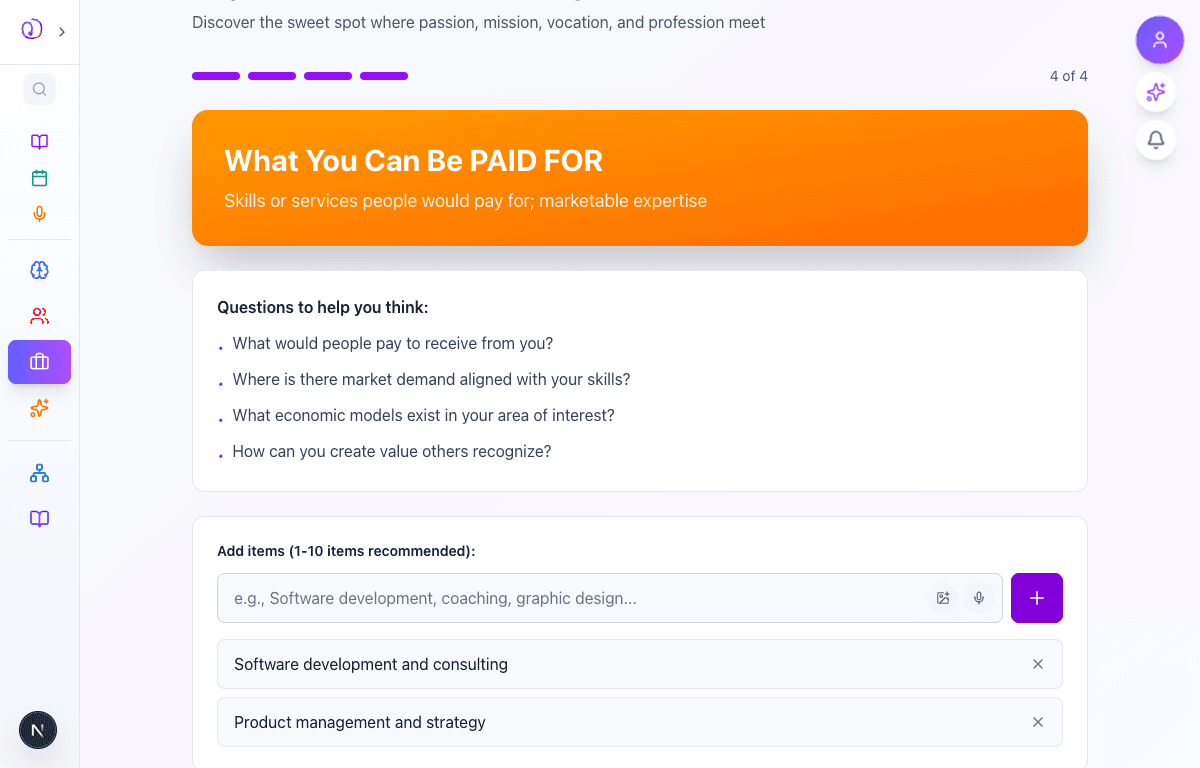
    After completing all four circles (Love, Good At, World Needs, Paid For), each with its own color-coded banner and unique guiding questions, you reach the final dimension. The progress bar is fully filled, showing 4 of 4.

    The orange "What You Can Be PAID FOR" circle asks about marketable expertise:

    • What would people pay to receive from you?
    • Where is there market demand aligned with your skills?
    • What economic models exist in your area of interest?

    Once you've added items, tap "Complete Assessment" to generate your Ikigai.

    /career/ikigai
    /career/ikigai
    What You Can Be PAID FOR circle (4 of 4) with orange banner, guiding questions, and two items added: Software development and consulting, Product management and strategy
  5. 05

    Achievement Unlocked!

    Advanced to the next state preserved by the app-owned walkthrough.

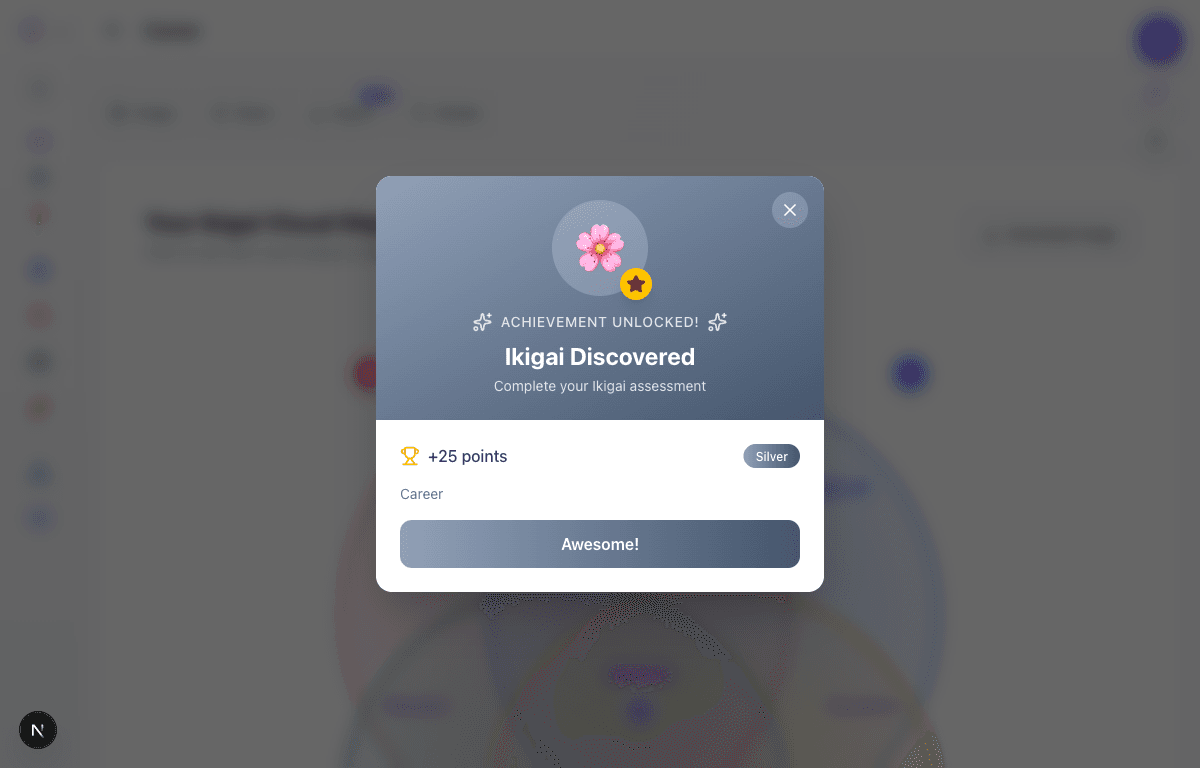
    Upon completing the assessment, you earn the "Ikigai Discovered" achievement — a silver-tier career milestone worth 25 points. The achievement popup appears with a celebration animation before revealing your results.

    Tap "Awesome!" to dismiss and see your personalized Ikigai results.

    /career/ikigai
    /career/ikigai
    Achievement popup showing Ikigai Discovered badge with cherry blossom emoji, +25 points, silver tier, career category
  6. 06

    Your Ikigai Visual Map

    Advanced to the next state preserved by the app-owned walkthrough.

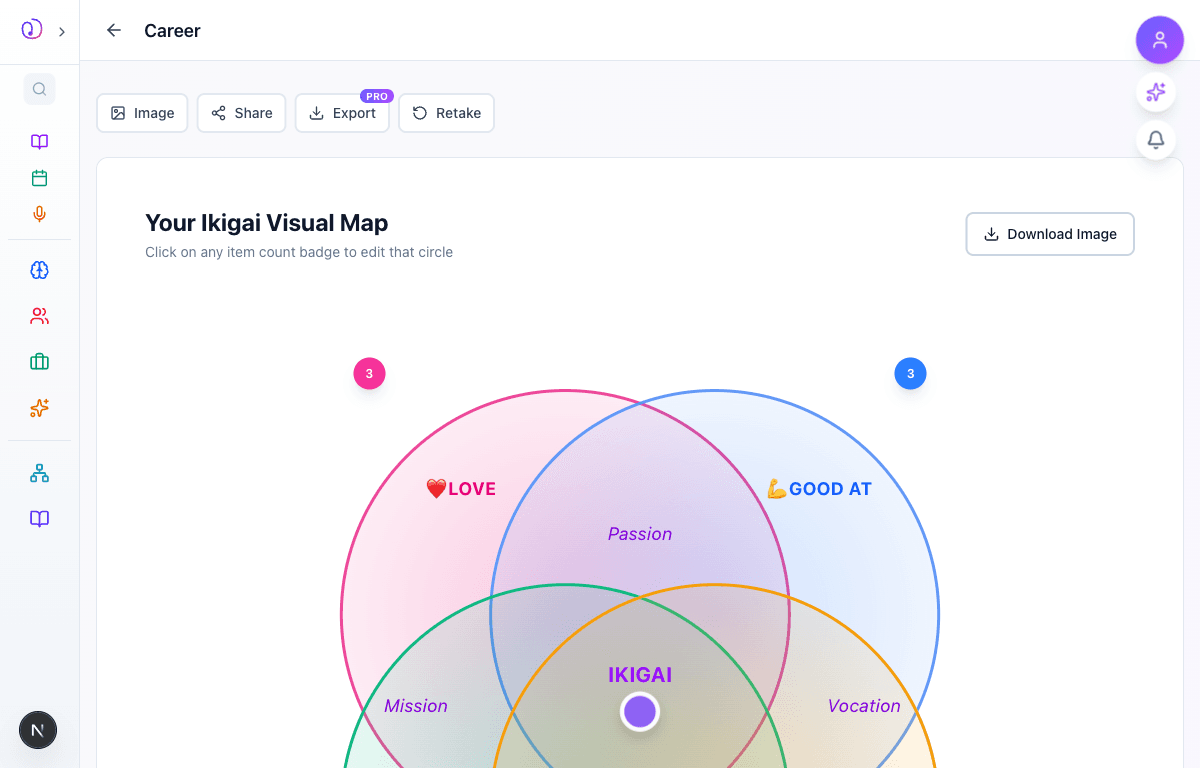
    The results page opens with a stunning interactive Venn diagram — your personal Ikigai Visual Map. Four overlapping circles represent your dimensions, with labeled intersection zones:

    • Passion (Love + Good At)
    • Mission (Love + World Needs)
    • Vocation (Good At + Paid For)
    • Profession (World Needs + Paid For)
    • IKIGAI at the center where all four meet

    Clickable badges on each circle show your item count and let you edit that dimension. A "Download Image" button lets you save the diagram. The toolbar at the top offers Image, Share, Export (PRO), and Retake options.

    /career/ikigai
    /career/ikigai
    Interactive Ikigai Venn diagram with four colored circles (Love, Good At, World Needs, Paid For), labeled intersections (Passion, Mission, Vocation, Profession), and IKIGAI at the center
  7. 07

    AI-Powered Insights

    Advanced to the next state preserved by the app-owned walkthrough.

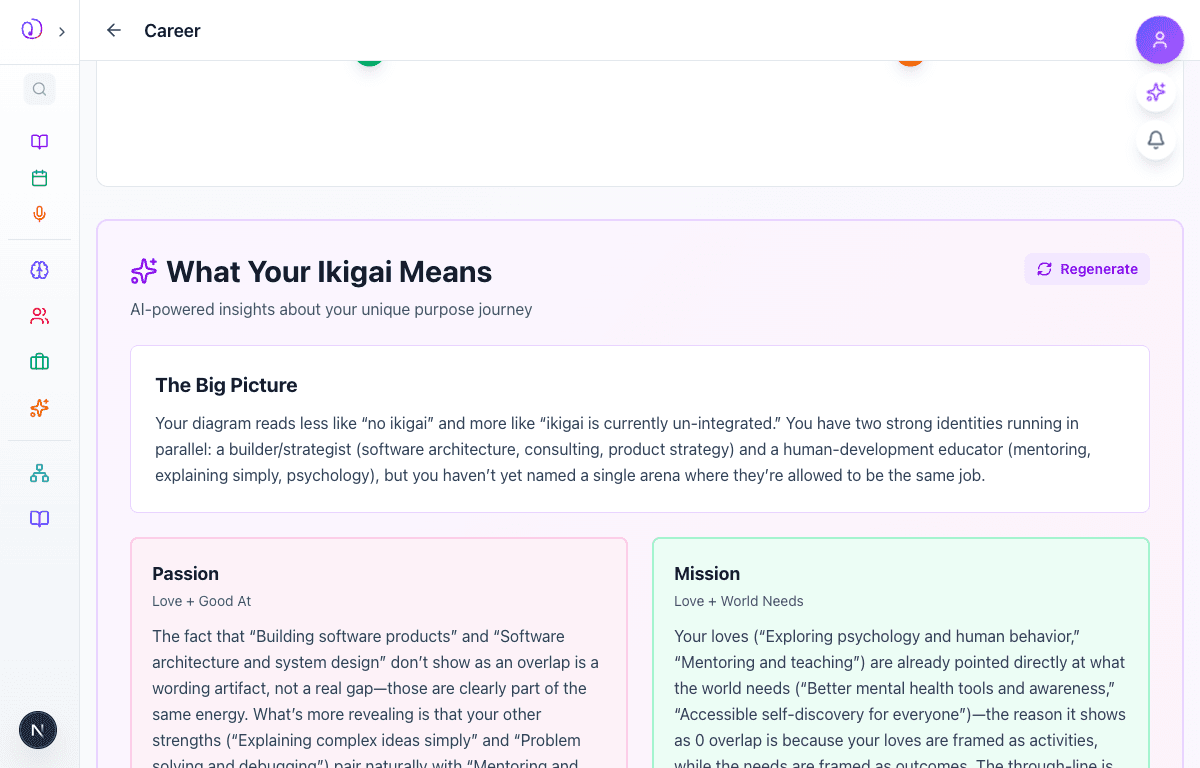
    Below the Venn diagram, AI analyzes your unique combination and generates deep, personalized insights. The "What Your Ikigai Means" section includes:

    • The Big Picture — An overall analysis of how your four circles connect (or where gaps exist)
    • Passion (Love + Good At) — What your zone of genius looks like
    • Mission (Love + World Needs) — How your passions align with impact
    • Vocation (Good At + Paid For) — Your market positioning strengths
    • Profession (World Needs + Paid For) — Where impact meets income
    • Focus Area — A concrete, actionable recommendation

    You can regenerate insights with the Regenerate button. Further down, AI-Powered Suggestions offer specific items to add to each circle, plus "Opportunities to Explore" with potential ikigai pathways. The page also includes a Hedgehog Concept section (from Jim Collins' Good to Great), next steps guidance, and a reflection prompt.

    /career/ikigai
    /career/ikigai
    AI insights section showing What Your Ikigai Means heading, The Big Picture analysis, and Passion/Mission intersection cards with detailed personalized analysis

What this feature does

  • Guided 4-step assessment exploring Love, Skills, World Needs, and Paid For dimensions
  • Beautiful interactive Venn diagram with labeled intersection zones
  • AI-powered deep analysis of your unique purpose journey
  • Personalized suggestions to strengthen each circle
  • Editable results — add or remove items and see the diagram update
  • Achievement system integration with milestone badges
  • Download, share, and export your Ikigai visual map
  • Hedgehog Concept framework for additional career clarity
  • Reflection prompt to deepen self-understanding
  • Voice input and AI suggestions for adding items

Worth knowing

  • Don't overthink your answers — your first instincts are often the most authentic
  • Aim for 3-5 items per circle for the richest AI analysis
  • Revisit your Ikigai every 3-6 months as your priorities evolve
  • Use the AI suggestions to discover dimensions you hadn't considered
  • Click the item count badges on the Venn diagram to quickly edit any circle
  • The Ikigai is not a destination — it's a compass that evolves as you grow
  • Pair this with the Values Wheel and Personality Suite for a complete self-portrait