Webwellbeingowner

Gratitude Journal

/reflections?tab=gratitude

Gratitude Journal, from entry to detail

The Gratitude Journal is a daily practice tool integrated into the My Reflections page. Each day, users log up to three things they're grateful for, guided by a rotating reflection prompt. An optional deeper reflection field encourages meaningful introspection.

After saving, AI analyzes the entry to surface themes (e.g., personal growth, work purpose, relationships), assigns a depth score, and offers a concrete follow-up suggestion. The streak tracker gamifies consistency with milestone goals (3-day, 7-day, etc.).

Imported from Inner Quest's app-owned walkthrough library. The captures are real product evidence, but their original run manifest and detailed interaction log predate Walkthrough Studio, so freshness is not claimed.

  1. 01

    Gratitude Tab — Empty State

    Opened /reflections?tab=gratitude.

    Navigate to the Reflections page and select the Gratitude tab. For new users, an inviting empty state displays a heart icon with the message "Start your gratitude practice" and a call-to-action button. The + Log Gratitude button in the top-right corner is also available for returning users.

    The tab bar shows all reflection types: Reflections, Gratitude, Wolves, Feelings, Wins, Letters, and Feedback.

    /reflections?tab=gratitude
    /reflections?tab=gratitude
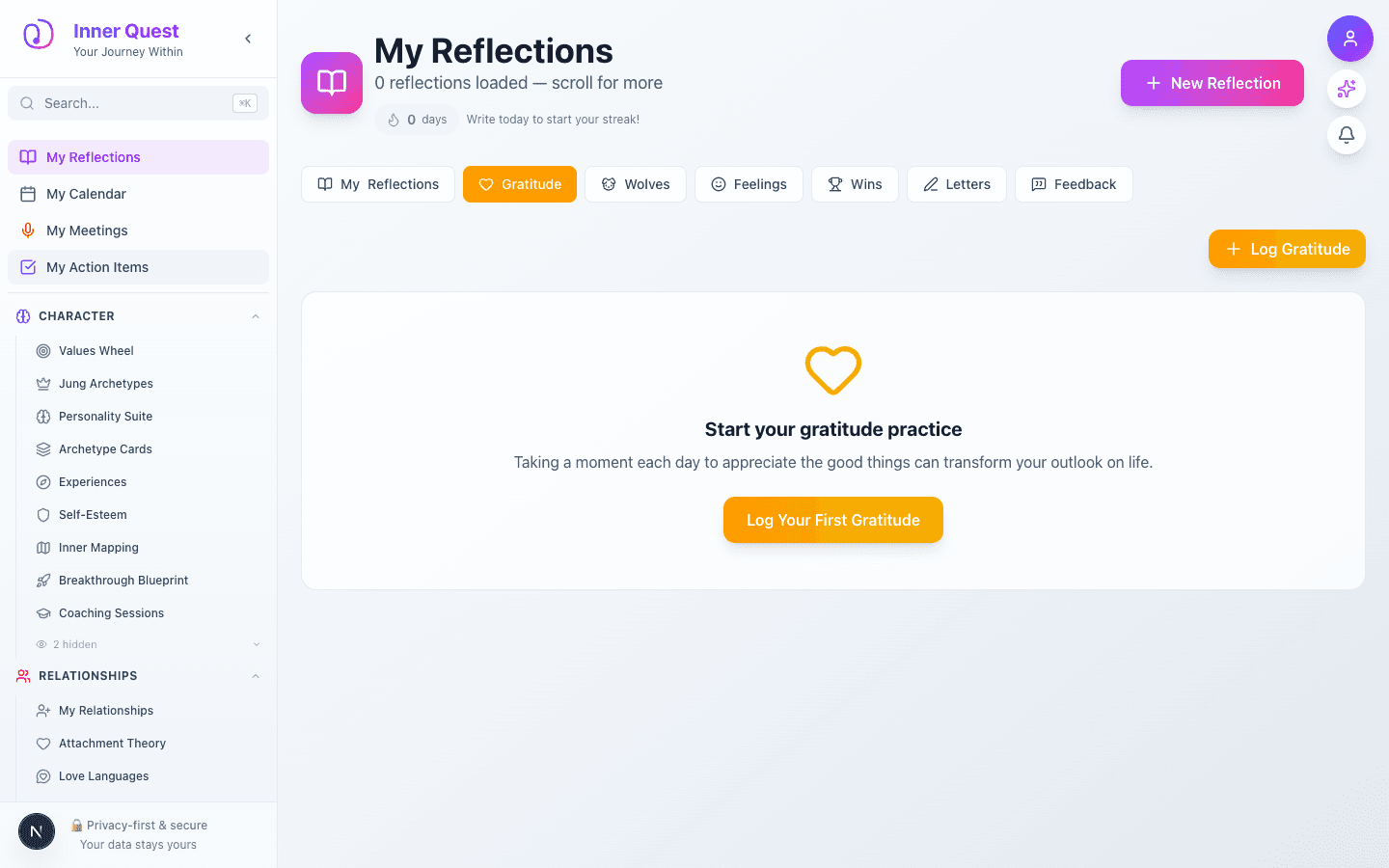
    Gratitude tab showing empty state with heart icon, encouraging message, and Log Your First Gratitude button
  2. 02

    Log Gratitude — Entry Form

    Advanced to the next state preserved by the app-owned walkthrough.

    Click + Log Gratitude to open the entry modal. The form includes:

    • Today's Reflection — a rotating daily prompt in a warm yellow banner (e.g., "What opportunity is available to you that wasn't always?")
    • Three gratitude fields — the first is required, the other two are optional
    • Deeper reflection — an optional textarea for exploring why these things matter
    • Cancel / Save buttons — Save is disabled until at least one item is entered
    /reflections?tab=gratitude
    /reflections?tab=gratitude
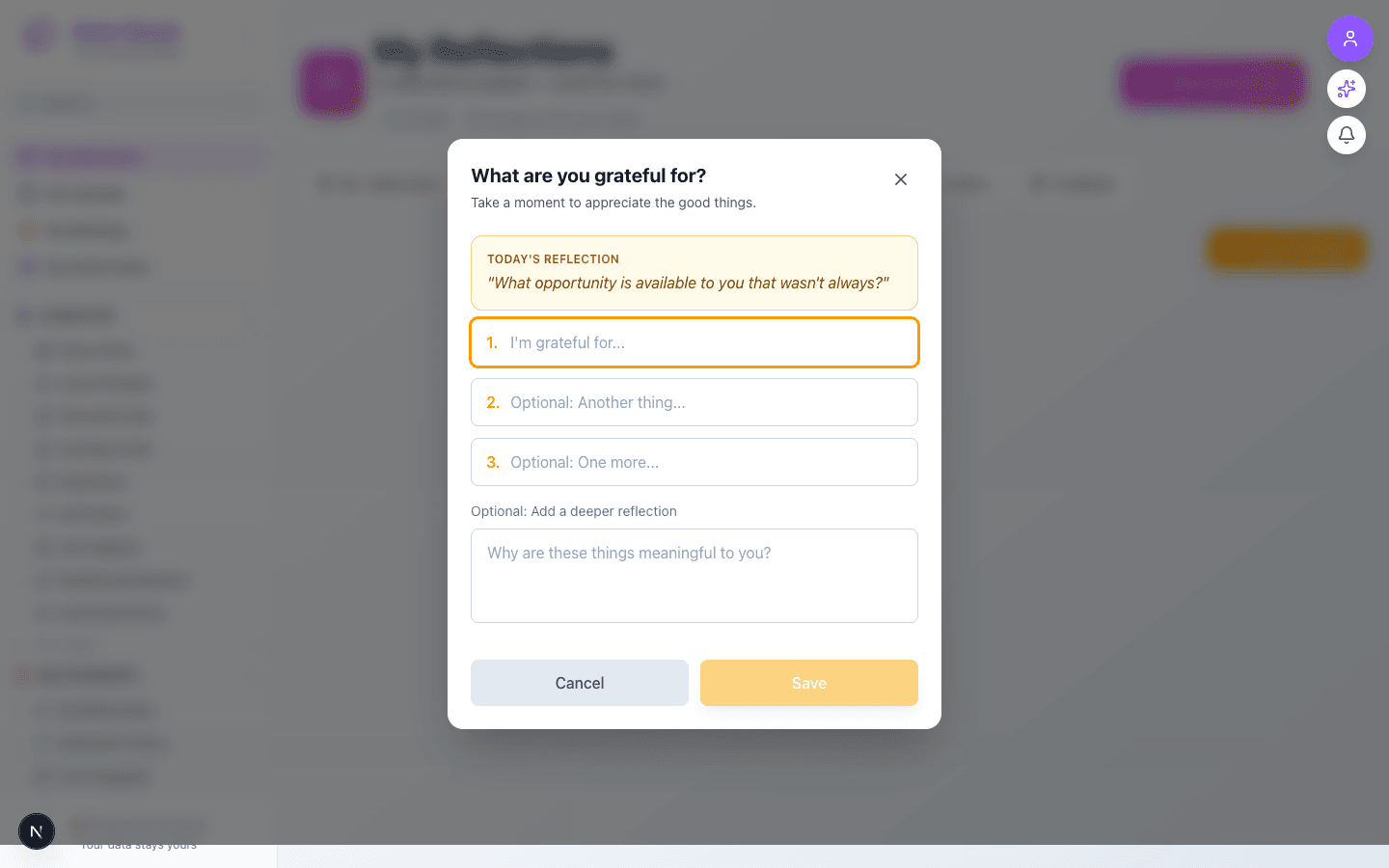
    Gratitude entry modal showing today's reflection prompt, three numbered input fields, and a deeper reflection textarea
  3. 03

    Filling In Your Gratitude

    Advanced to the next state preserved by the app-owned walkthrough.

    Fill in your gratitude items and an optional reflection. The Save button activates (turns golden) once at least one item is entered. The form is clean and focused — no distractions from the practice.

    /reflections?tab=gratitude
    /reflections?tab=gratitude
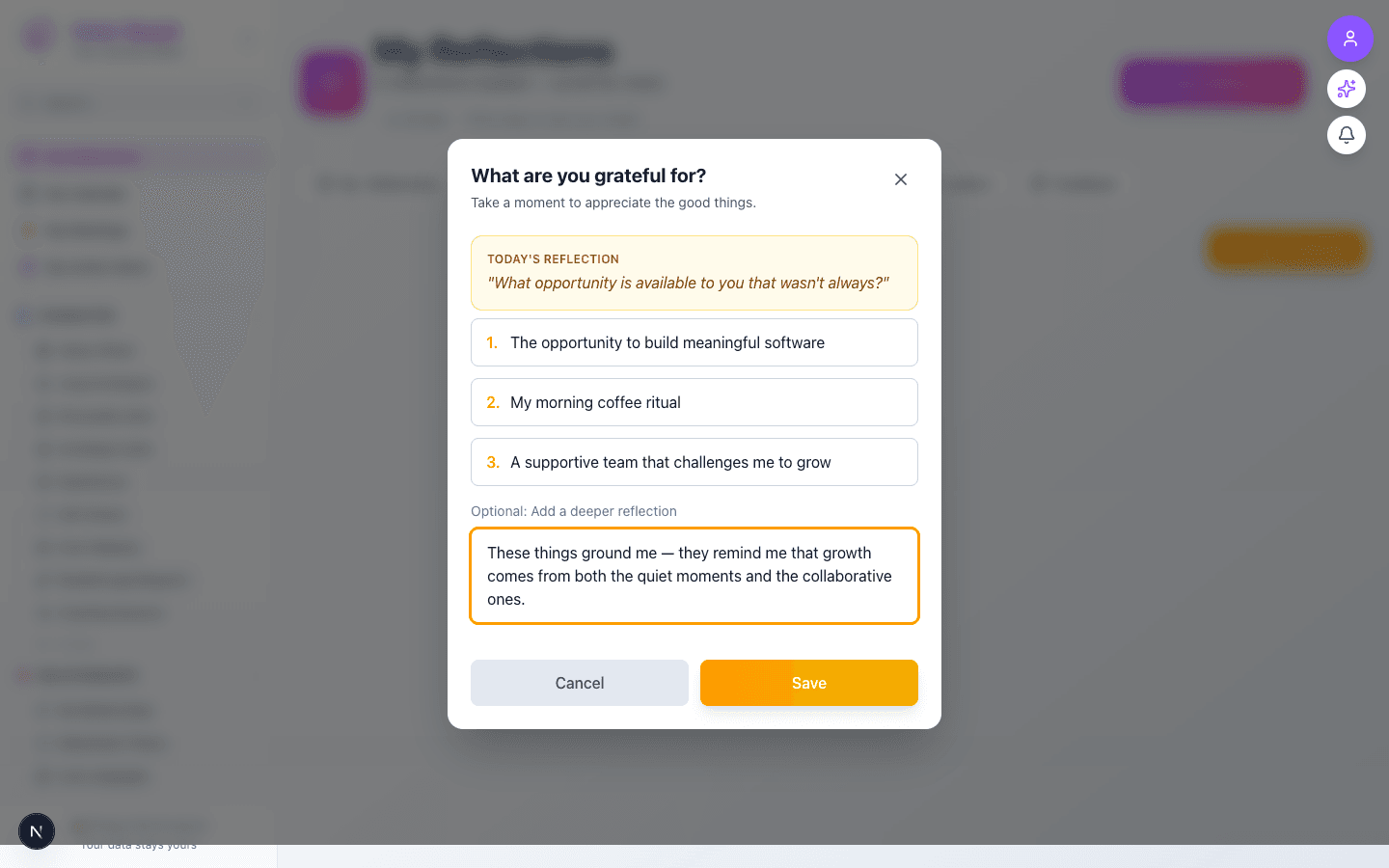
    Gratitude form filled with three items and a deeper reflection, Save button now active in golden color
  4. 04

    Entry Saved — Streak & Timeline

    Advanced to the next state preserved by the app-owned walkthrough.

    After saving, the entry appears in a chronological timeline grouped by month. Key elements:

    • Streak tracker — shows "1 day streak" with a milestone hint ("2 more to 3-day milestone!")
    • Logged today badge — green checkmark confirming today's practice
    • Entry card — displays the date, reflection prompt, gratitude items with heart icons, the deeper reflection in italics, and AI-generated theme analysis
    /reflections?tab=gratitude
    /reflections?tab=gratitude
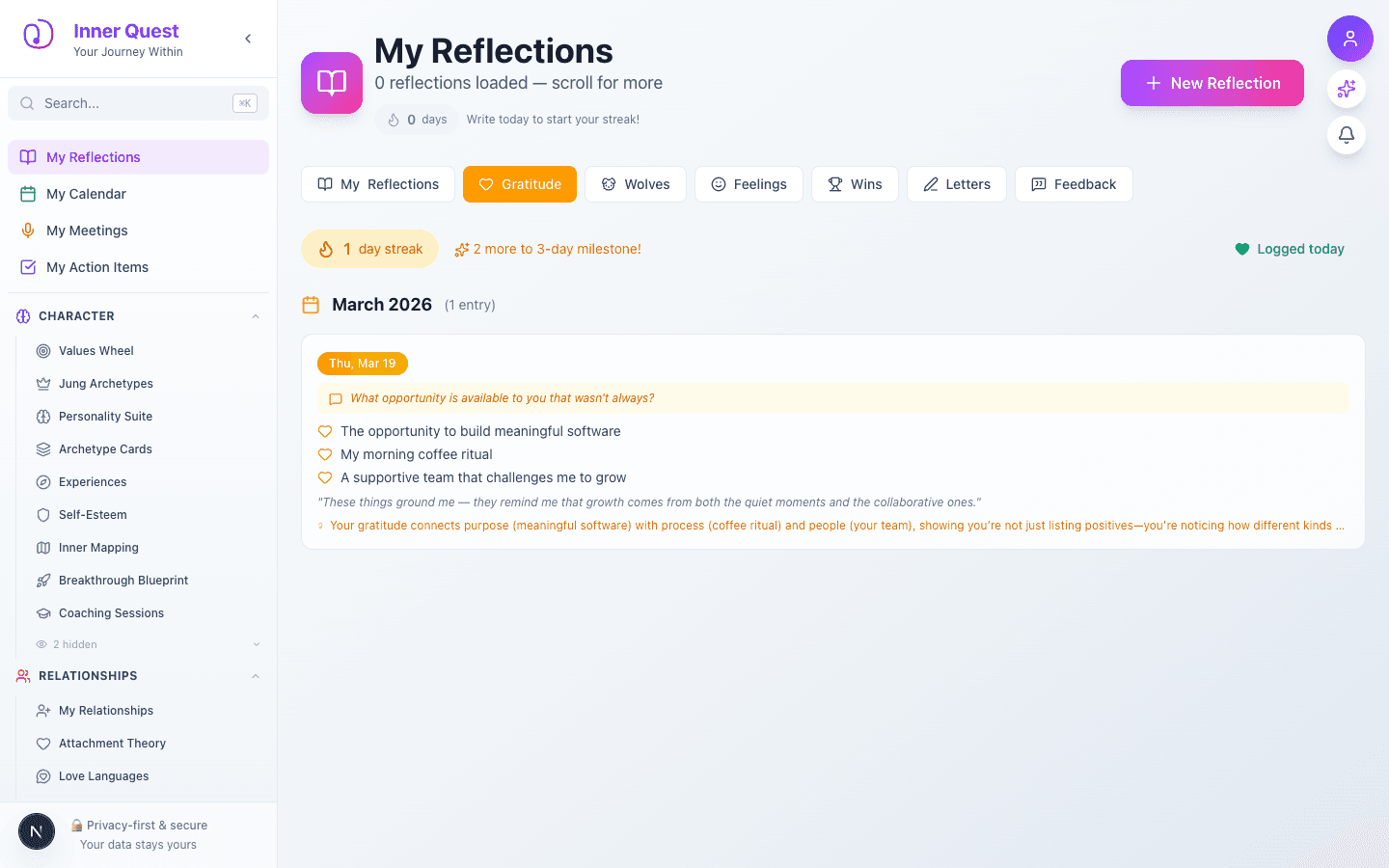
    Gratitude timeline showing saved entry with streak counter, logged today badge, and entry card with gratitude items
  5. 05

    Achievement Unlocked — Grateful Heart

    Advanced to the next state preserved by the app-owned walkthrough.

    First-time gratitude loggers earn the Grateful Heart achievement — a bronze-tier wellbeing milestone worth +10 points. The achievement popup features a prayer hands emoji with celebration styling and an "Awesome!" dismiss button.

    /reflections?tab=gratitude
    /reflections?tab=gratitude
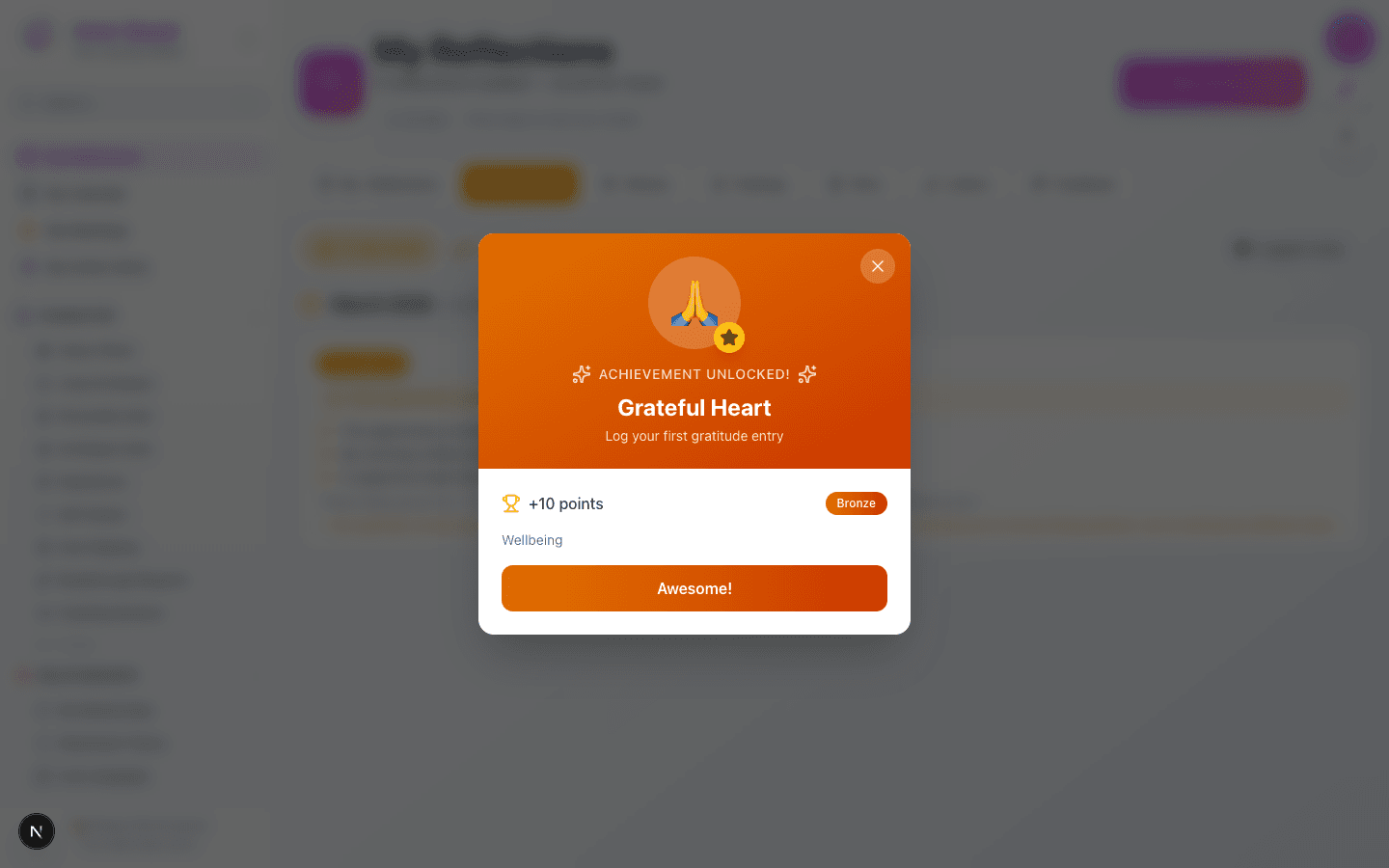
    Achievement popup showing Grateful Heart badge with prayer hands emoji, +10 points, bronze tier, wellbeing category

What this feature does

  • Daily rotating reflection prompts to guide gratitude practice
  • Three gratitude slots with optional deeper reflection
  • AI-powered theme analysis with depth scoring
  • Streak tracking with milestone goals (3-day, 7-day, etc.)
  • Achievement system integration (Grateful Heart badge)
  • Chronological timeline grouped by month
  • Home page integration showing today's gratitude with AI insights

Worth knowing

  • Aim for specificity over generality — 'My teammate's encouragement on the design review' is better than 'good coworkers'
  • Use the deeper reflection field to explore why — this boosts your AI depth score
  • Try logging at the same time each day to build a lasting habit
  • Review your themes over time to discover what consistently grounds you