Webwellbeingowner

Feelings Wheel

/reflections?tab=feelings

Feelings Wheel, from entry to detail

The Feelings Wheel is an interactive emotion-logging tool embedded in the My Reflections page. Users select from 6 core emotions (Joy, Sadness, Anger, Fear, Disgust, Surprise), then drill down into 36+ specific sub-emotions via an expanding SVG wheel.

After selecting a specific emotion, users set an intensity level (1-5) and optionally add notes. The tool tracks check-ins over time with a history panel grouped by date, and integrates with the achievement system.

Imported from Inner Quest's app-owned walkthrough library. The captures are real product evidence, but their original run manifest and detailed interaction log predate Walkthrough Studio, so freshness is not claimed.

  1. 01

    Feelings Tab — Landing State

    Opened /reflections?tab=feelings.

    Navigate to the Reflections page and select the Feelings tab. The page shows the interactive emotion wheel with 6 color-coded core emotions: Joy (amber), Sadness (blue), Anger (red), Fear (purple), Disgust (emerald), and Surprise (pink). The center reads "How do you feel?" and the right panel shows a target icon with instructions to select an emotion.

    The History and Info toggle buttons appear above the wheel.

    /reflections?tab=feelings
    /reflections?tab=feelings
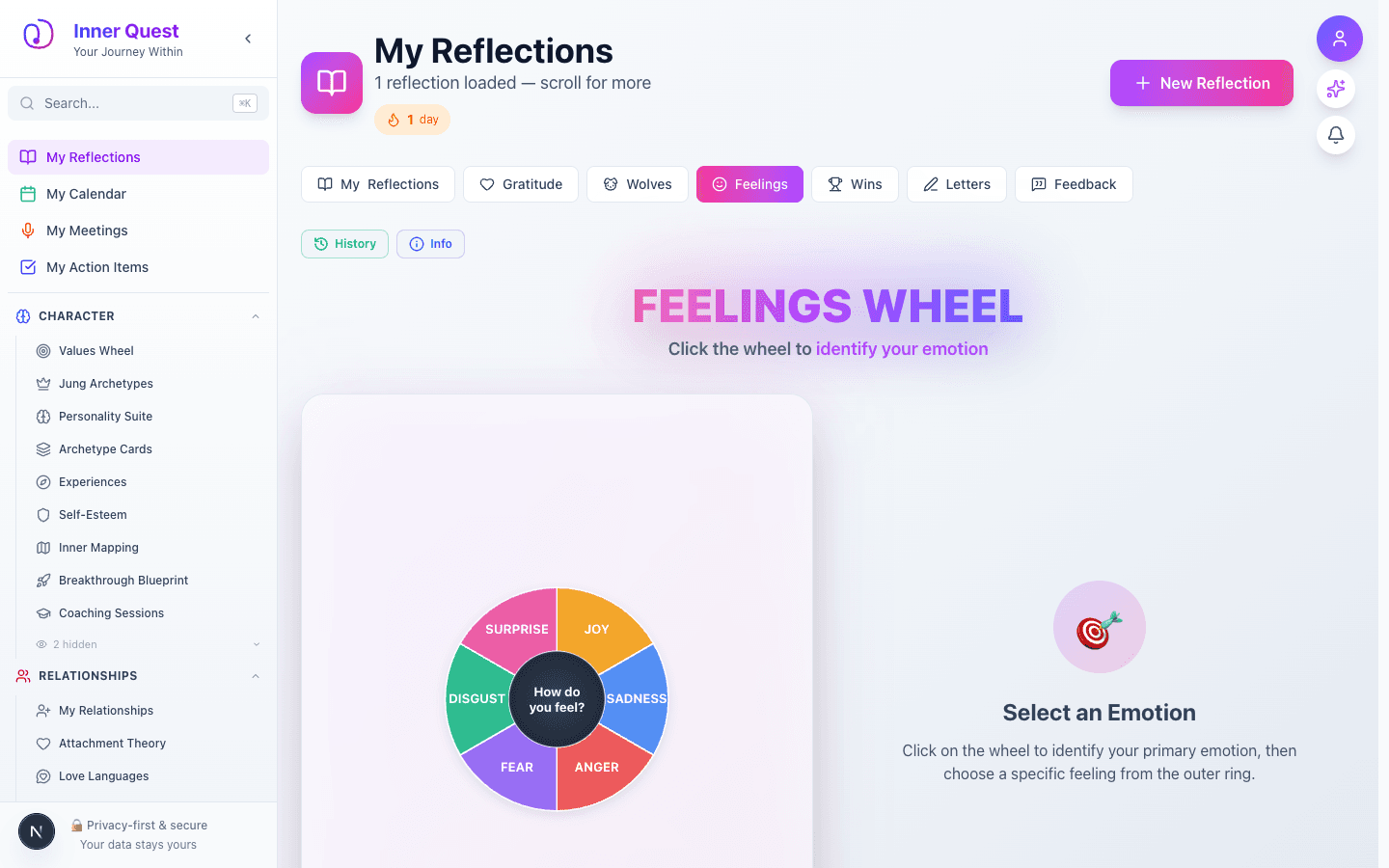
    Feelings Wheel landing page showing the 6-segment emotion wheel with Joy, Sadness, Anger, Fear, Disgust, and Surprise
  2. 02

    Select Primary Emotion — Joy Expanded

    Advanced to the next state preserved by the app-owned walkthrough.

    Click a primary emotion segment (e.g., Joy) and the wheel expands to reveal 6 sub-emotions in the outer ring: Optimistic, Playful, Excited, Grateful, Content, Peaceful. The instruction text updates to "Choose a specific emotion from the outer ring."

    The expansion animation is smooth and the sub-emotion labels are displayed at angles following the arc of the wheel.

    /reflections?tab=feelings
    /reflections?tab=feelings
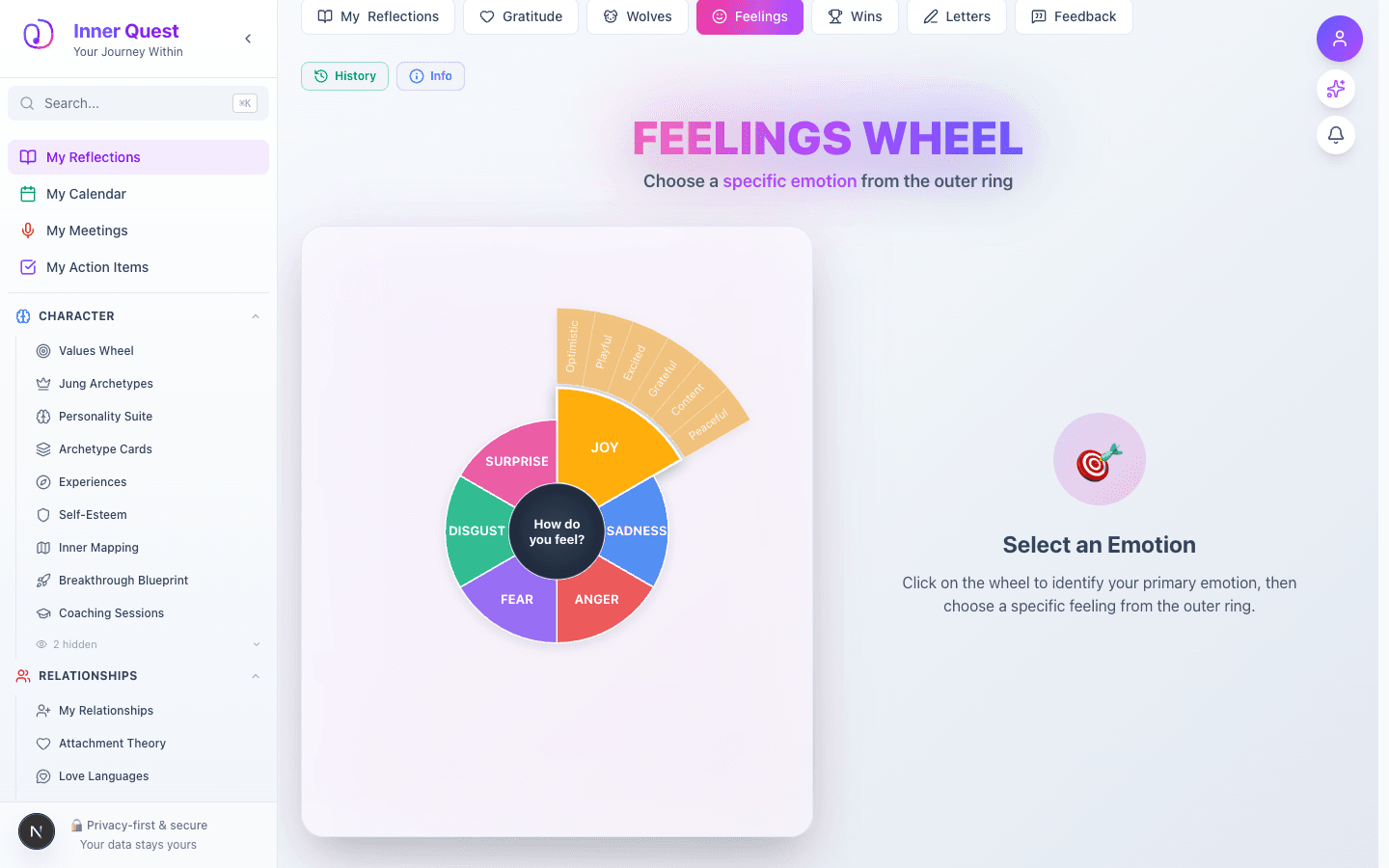
    Feelings Wheel with Joy segment expanded showing 6 sub-emotions: Optimistic, Playful, Excited, Grateful, Content, Peaceful
  3. 03

    Select Sub-Emotion — Grateful

    Advanced to the next state preserved by the app-owned walkthrough.

    Click a specific sub-emotion (e.g., Grateful) to open the check-in form. The right panel updates to show:

    • Emotion name ("Grateful") in the primary emotion's color
    • Category label ("A form of Joy")
    • Intensity slider — 5 blocks, defaulting to 3/5
    • Notes textarea (optional) with placeholder "What's on your mind?"
    • Save Check-in button

    The selected sub-emotion is highlighted on the wheel with a darker shade.

    /reflections?tab=feelings
    /reflections?tab=feelings
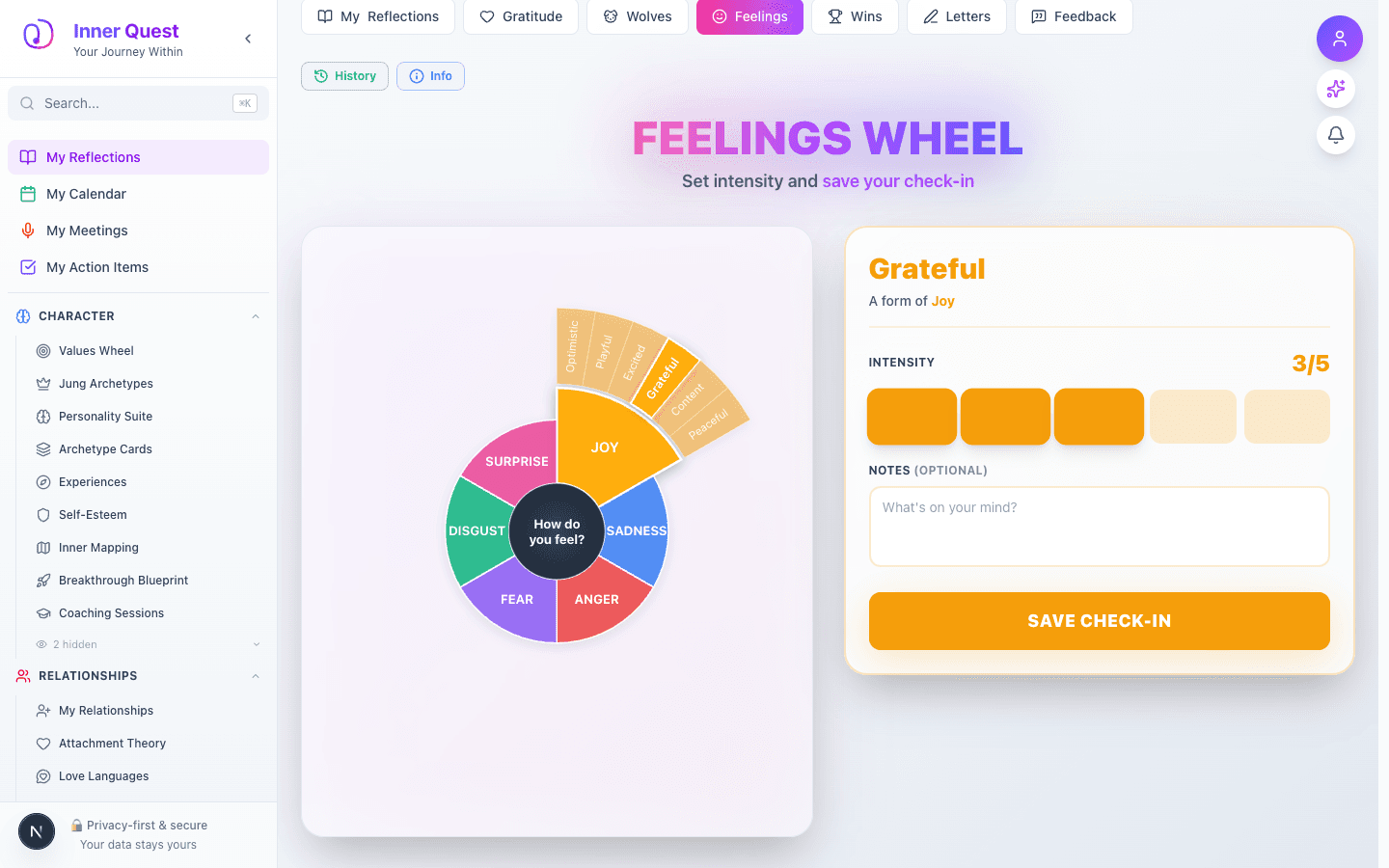
    Feelings Wheel showing Grateful selected with intensity slider at 3/5, notes field, and Save Check-in button
  4. 04

    Fill In Details & Save

    Advanced to the next state preserved by the app-owned walkthrough.

    Adjust the intensity by clicking one of the 5 blocks (here set to 4/5) and optionally add notes describing what triggered the emotion. Click Save Check-in to log the entry.

    The intensity blocks fill with the primary emotion's color up to the selected level.

    /reflections?tab=feelings
    /reflections?tab=feelings
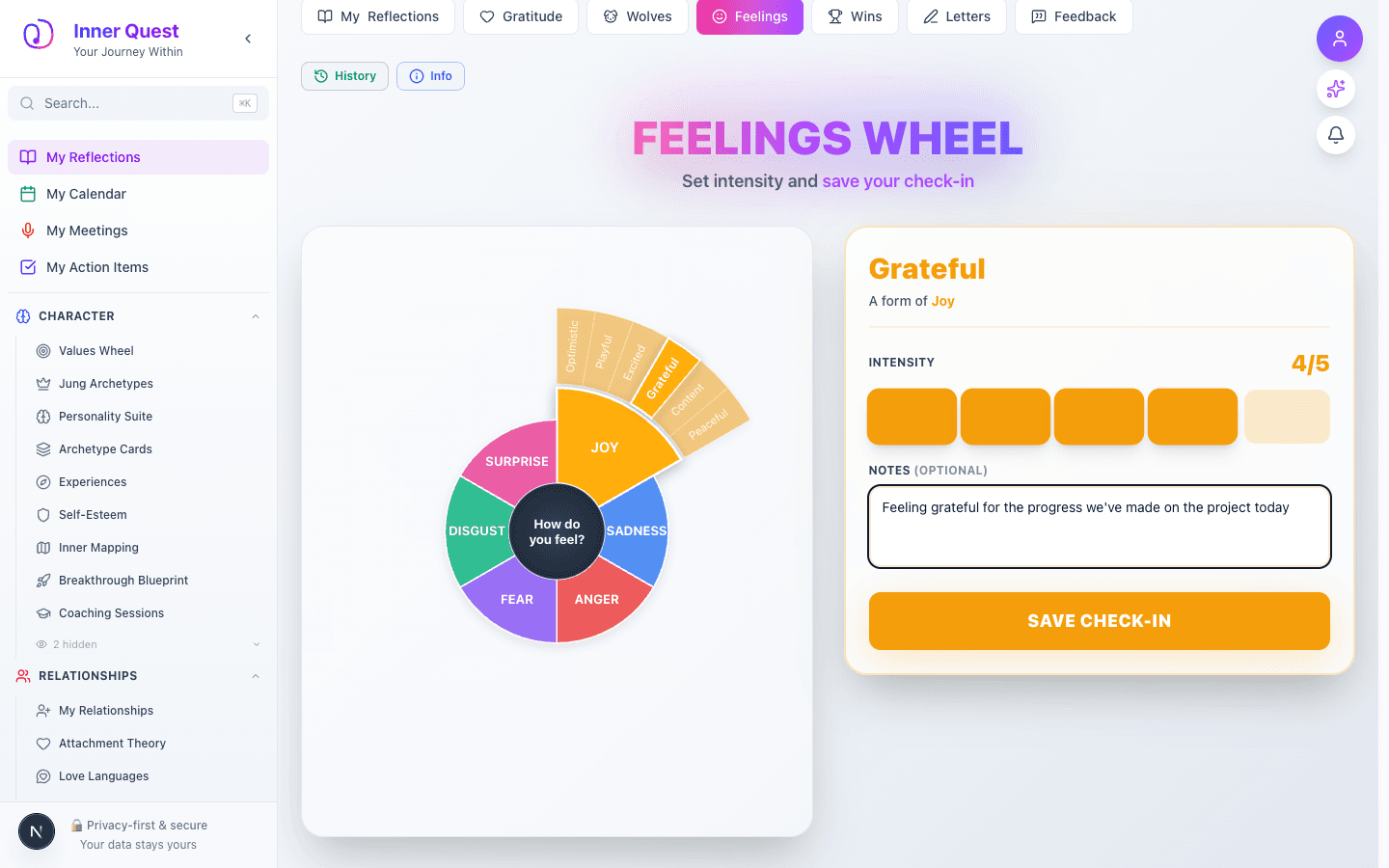
    Feelings Wheel check-in form filled with Grateful at 4/5 intensity and a note about project progress
  5. 05

    Achievement Unlocked — Emotional Awareness

    Advanced to the next state preserved by the app-owned walkthrough.

    First-time emotion loggers earn the Emotional Awareness achievement — a bronze-tier character milestone worth +10 points. The achievement popup features a smiling emoji with star eyes and an "Awesome!" dismiss button.

    /reflections?tab=feelings
    /reflections?tab=feelings
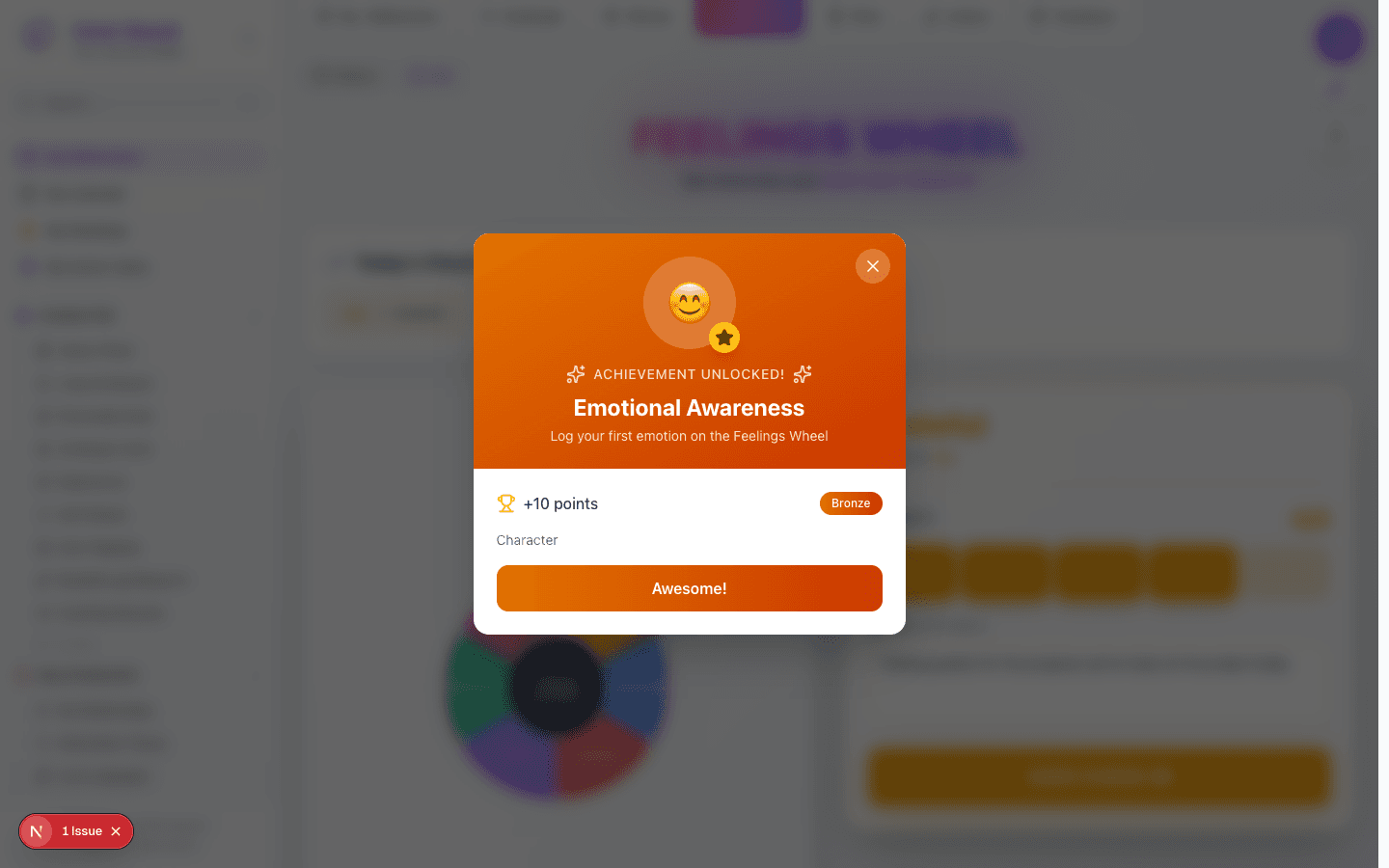
    Achievement popup showing Emotional Awareness badge with smiling emoji, +10 points, bronze tier
  6. 06

    Saved State — Today's Check-ins

    Advanced to the next state preserved by the app-owned walkthrough.

    After saving, the Today's Check-ins section appears above the wheel showing a count badge and emotion path ("Joy -> Grateful"). The wheel resets to its initial state, ready for another check-in. The form retains the previous selection for quick re-logging.

    /reflections?tab=feelings
    /reflections?tab=feelings
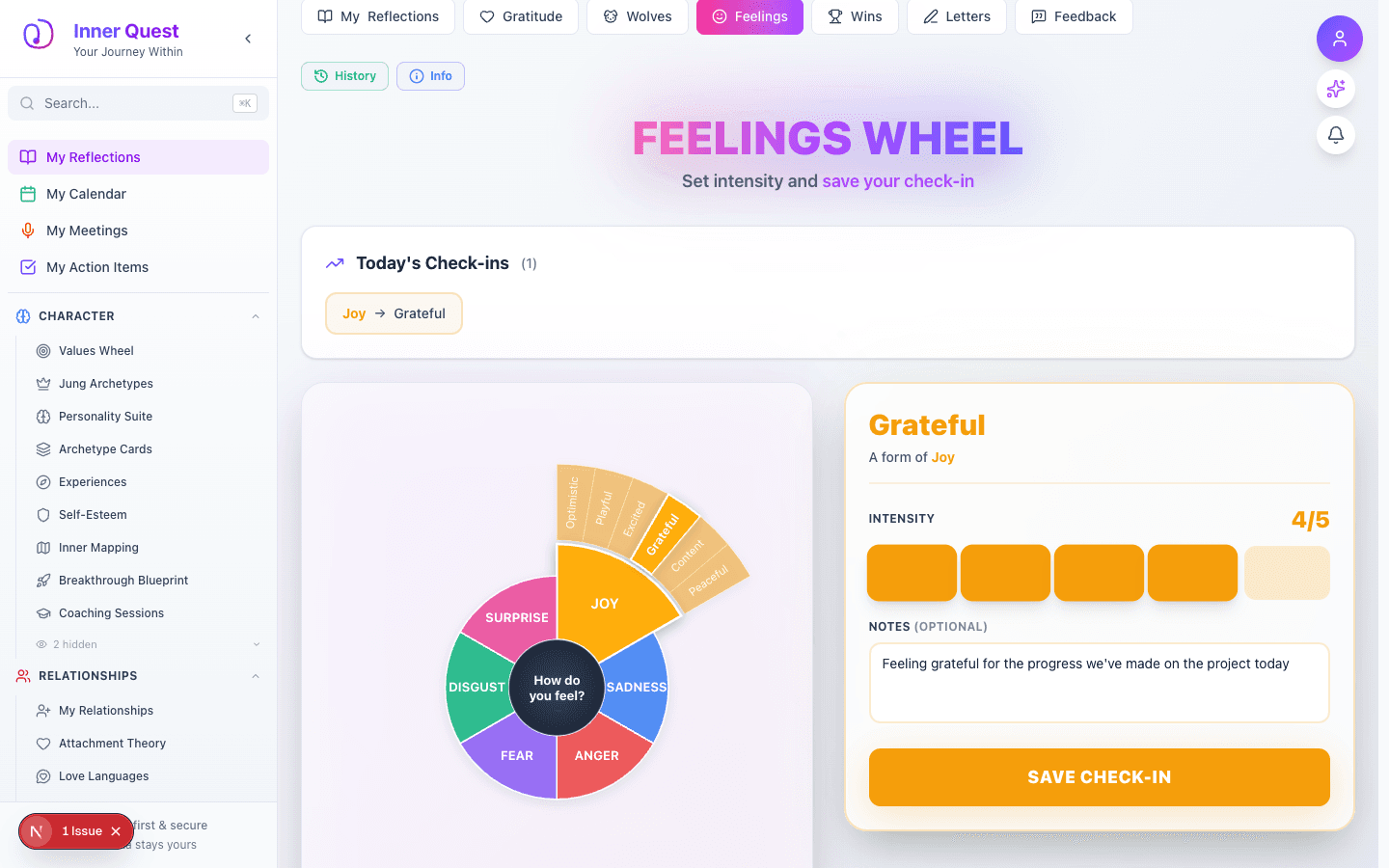
    Feelings Wheel after saving showing Today's Check-ins with Joy to Grateful badge above the wheel
  7. 07

    Emotion History Panel

    Advanced to the next state preserved by the app-owned walkthrough.

    Click the History button to open a slide-out panel showing all logged emotions grouped by date. Each entry displays:

    • Emotion path (Joy -> Grateful) color-coded
    • Timestamp (04:04 AM)
    • Intensity bars (visual blocks)
    • Notes in italics

    The panel can be dismissed with the X button.

    /reflections?tab=feelings
    /reflections?tab=feelings
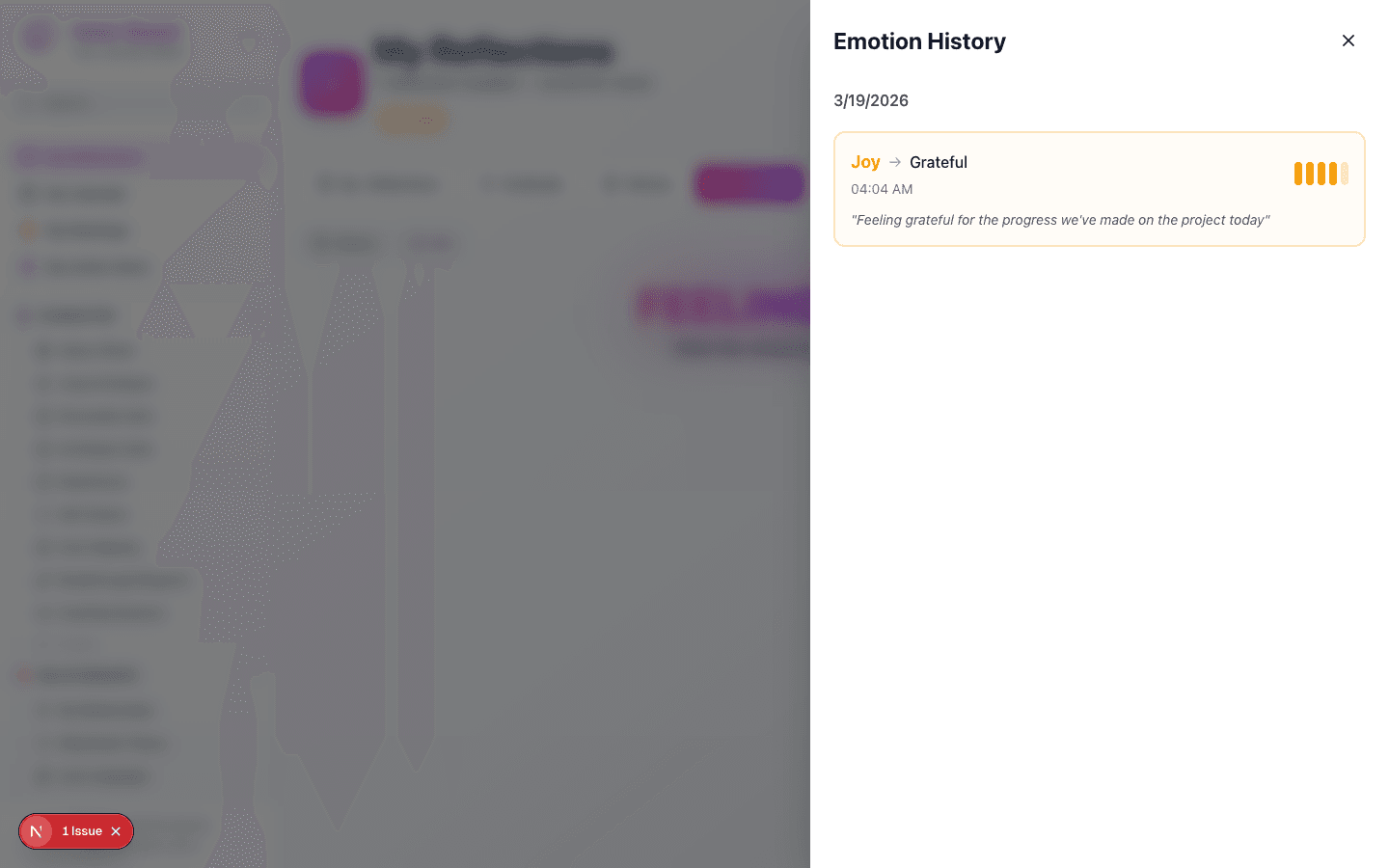
    Emotion History panel showing logged entry for March 19 with Joy to Grateful, intensity bars, and notes

What this feature does

  • Interactive SVG wheel with 6 core emotions and 36+ sub-emotions
  • Expanding animation reveals sub-emotions on primary selection
  • 1-5 intensity scale with visual block indicators
  • Optional notes for emotional context
  • Today's Check-ins counter with emotion path badges
  • History panel with date-grouped entries
  • Achievement system integration (Emotional Awareness badge)

Worth knowing

  • Be specific — choosing a sub-emotion like 'Grateful' is more insightful than just 'Joy'
  • Use the notes field to record what triggered the emotion for better pattern tracking
  • Log multiple emotions throughout the day to build a complete emotional picture
  • Check your History regularly to notice recurring patterns