Walkthrough
Webmcprequires sign-in

MCP task in the real app

DoneOS app → Connect → Execute → Activity

Connect an agent, create a task, watch it land

This walkthrough crosses the boundary the protocol-only demo cannot: DoneOS explains the connection in its own settings, accepts a real MCP write, shows the resulting task in Queue, and attributes the event to the connected agent in Activity.

Live-walked against the committed DoneOS Flutter app and local Firebase emulators. The disposable credential was never shown and disappears when the emulator session ends.

  1. 01

    Connection starts inside DoneOS

    Opened Connect and inspected the AI Agents panel.

    DoneOS explains what the MCP credential does before it asks for one: the connected agent can work the shared Queue, and every action is attributed in Activity. The empty state shows the supported clients and makes it clear that a key does not start an agent by itself.

    DoneOS → Connect → AI Agents
    DoneOS → Connect → AI Agents
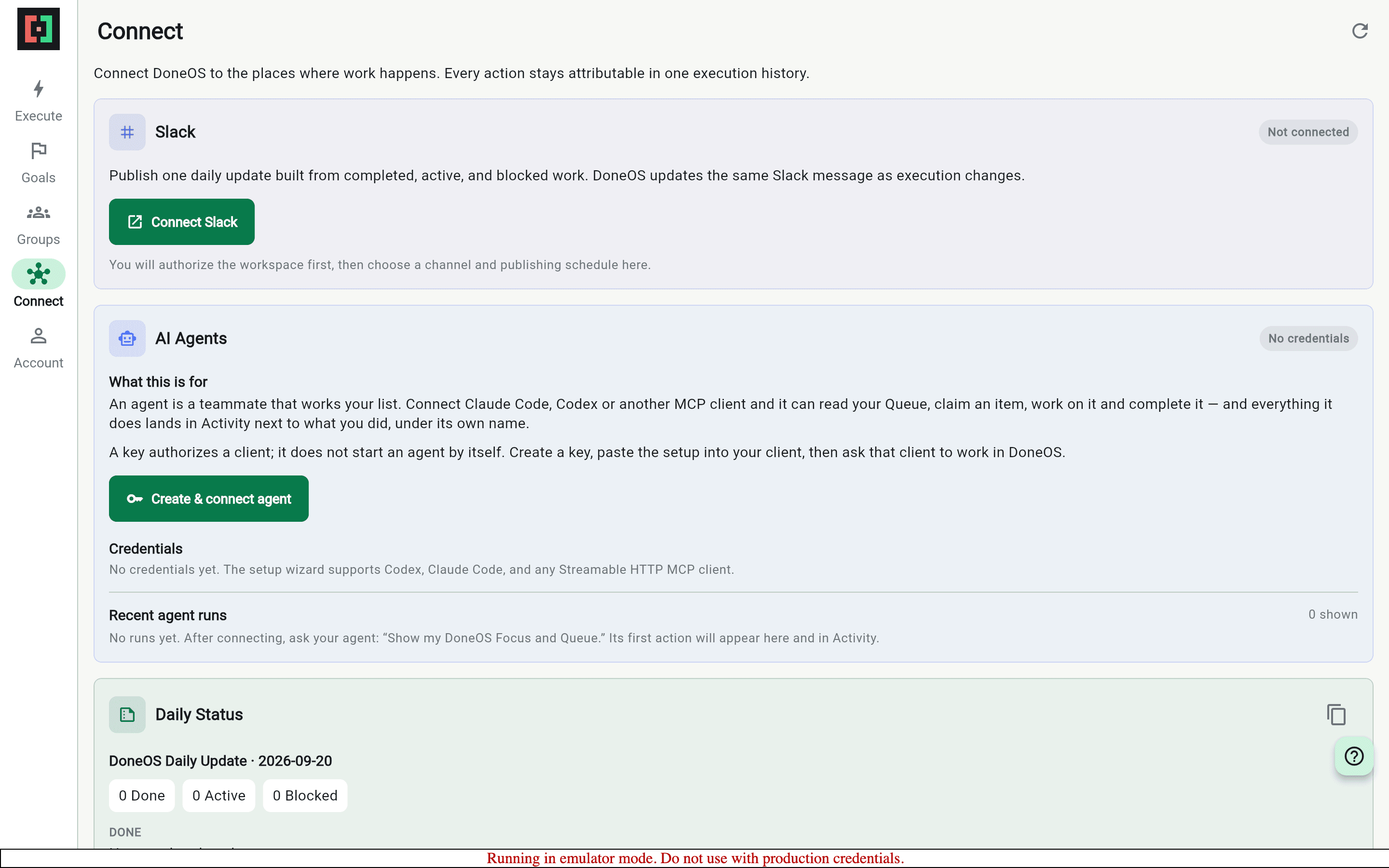
    DoneOS Connect screen showing AI agent setup and its attribution model
  2. 02

    The connected credential reports its use

    Connected with the generated local credential, then created and independently read back a task through the official MCP SDK.

    After the call, the credential appears as Walkthrough Agent with its usage state inside the product. The one-time token never appears in the capture.

    DoneOS → Connect → AI Agents
    DoneOS → Connect → AI Agents
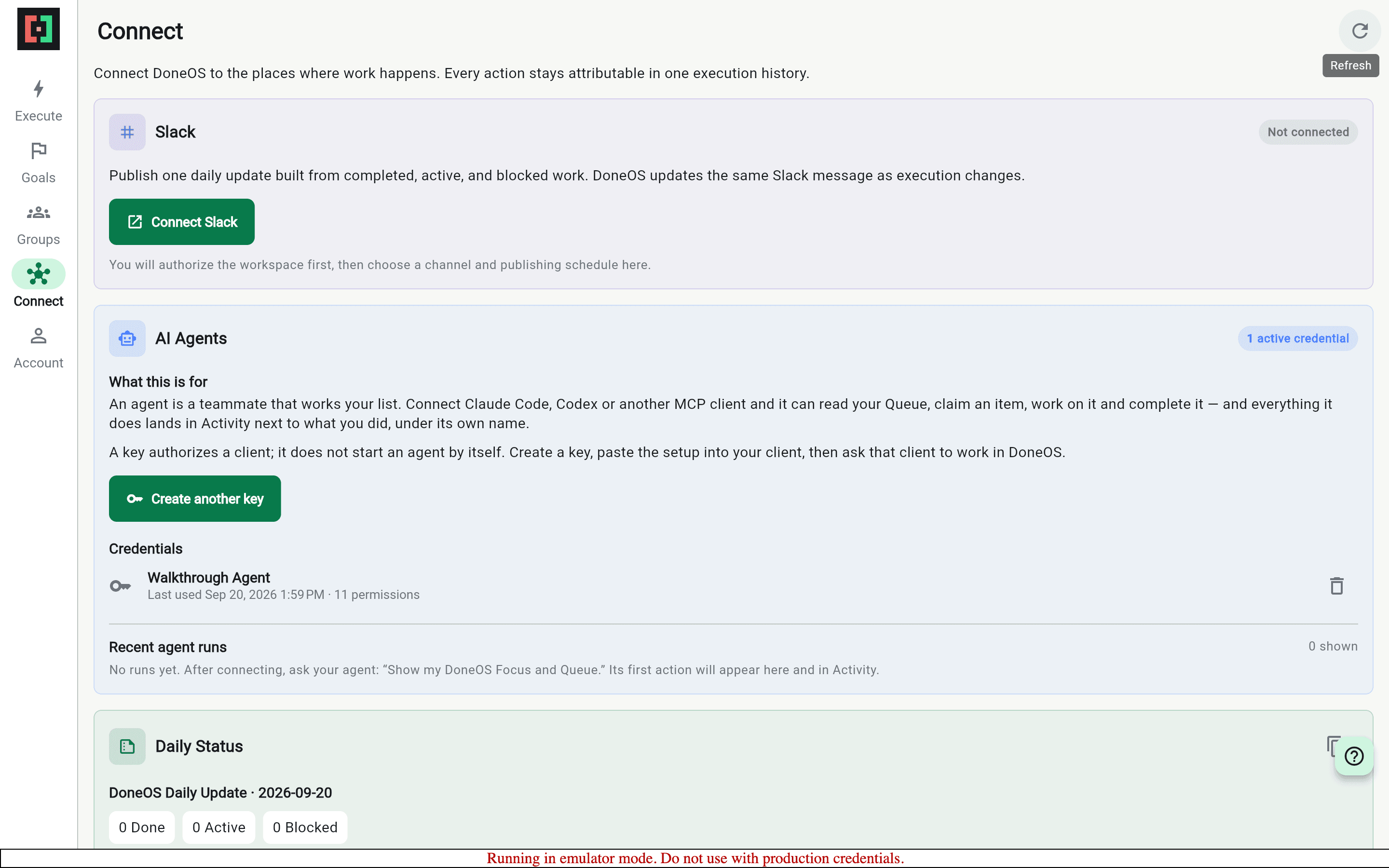
    DoneOS Connect screen showing the Walkthrough Agent credential after an MCP call
  3. 03

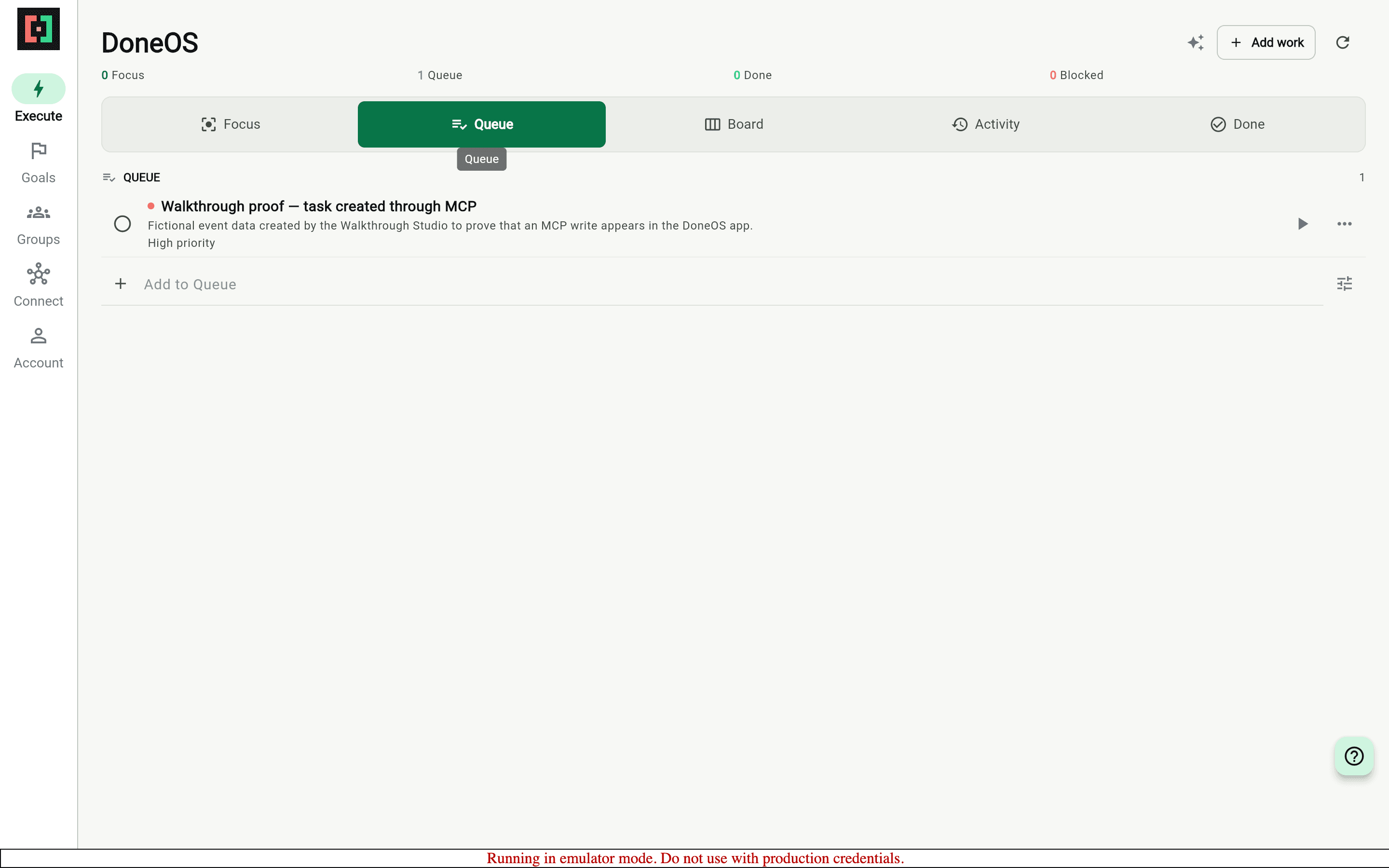
    The MCP task is now real app work

    Opened Execute, then Queue after the MCP write completed.

    The exact high-priority task created through MCP appears in DoneOS beside the normal app controls. It is not a terminal transcript or a mocked result; this is the Flutter product reading the same emulator-backed state.

    DoneOS → Execute → Queue
    DoneOS → Execute → Queue
    DoneOS Queue showing the exact task created through MCP
  4. 04

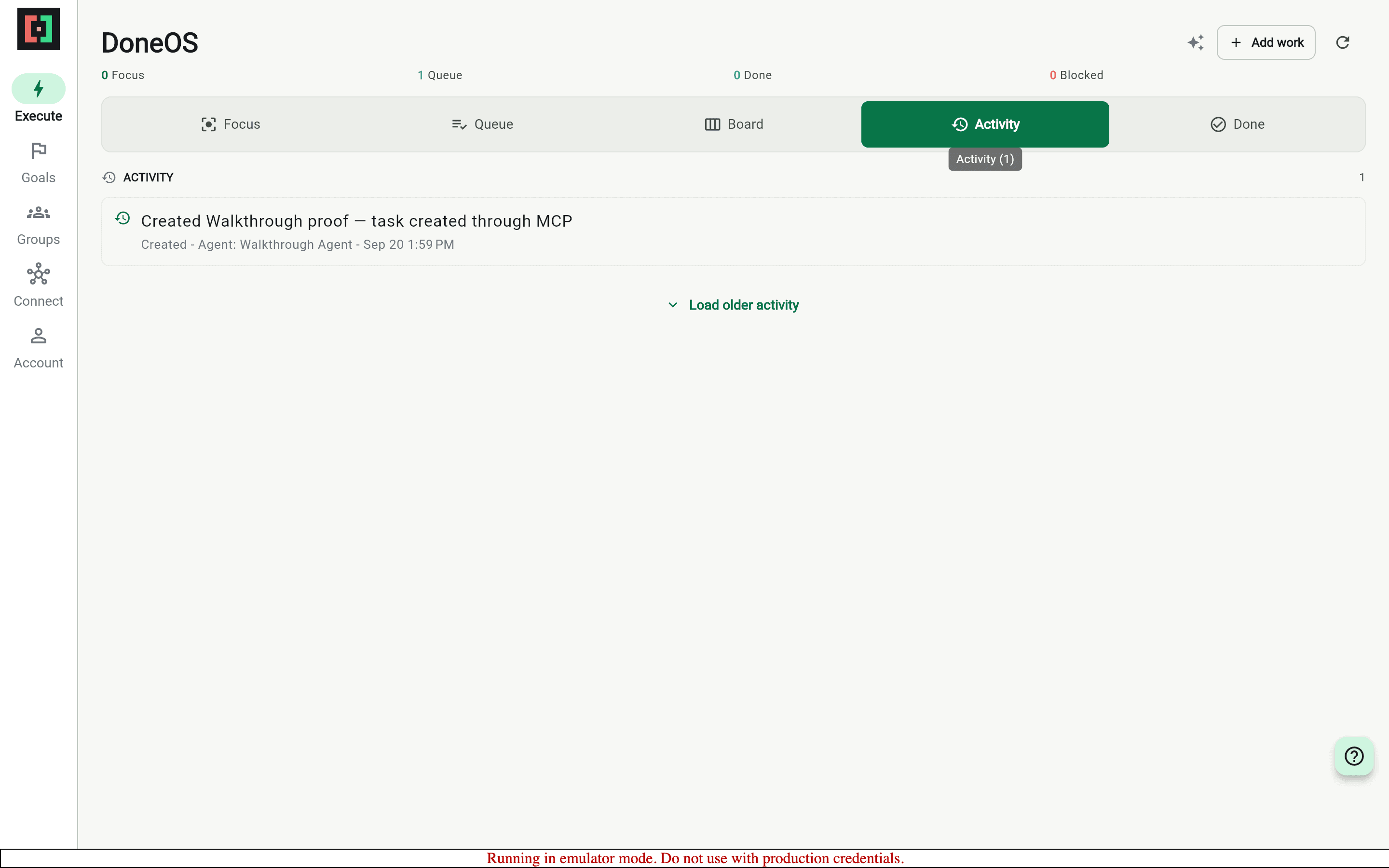
    Activity keeps the agent accountable

    Opened Activity and found the creation event.

    DoneOS records the write as an execution event attributed to Walkthrough Agent. That closes the user-facing loop from connection settings, to MCP action, to visible task, to an auditable history.

    DoneOS → Execute → Activity
    DoneOS → Execute → Activity
    DoneOS Activity showing the MCP-created task attributed to Walkthrough Agent

What this feature does

  • In-app MCP connection settings
  • Official MCP SDK write and independent read-back
  • The exact task visible in the Flutter Queue
  • Agent attribution in Activity

Worth knowing

  • All account and task data in this walkthrough is fictional and exists only in local emulators.